

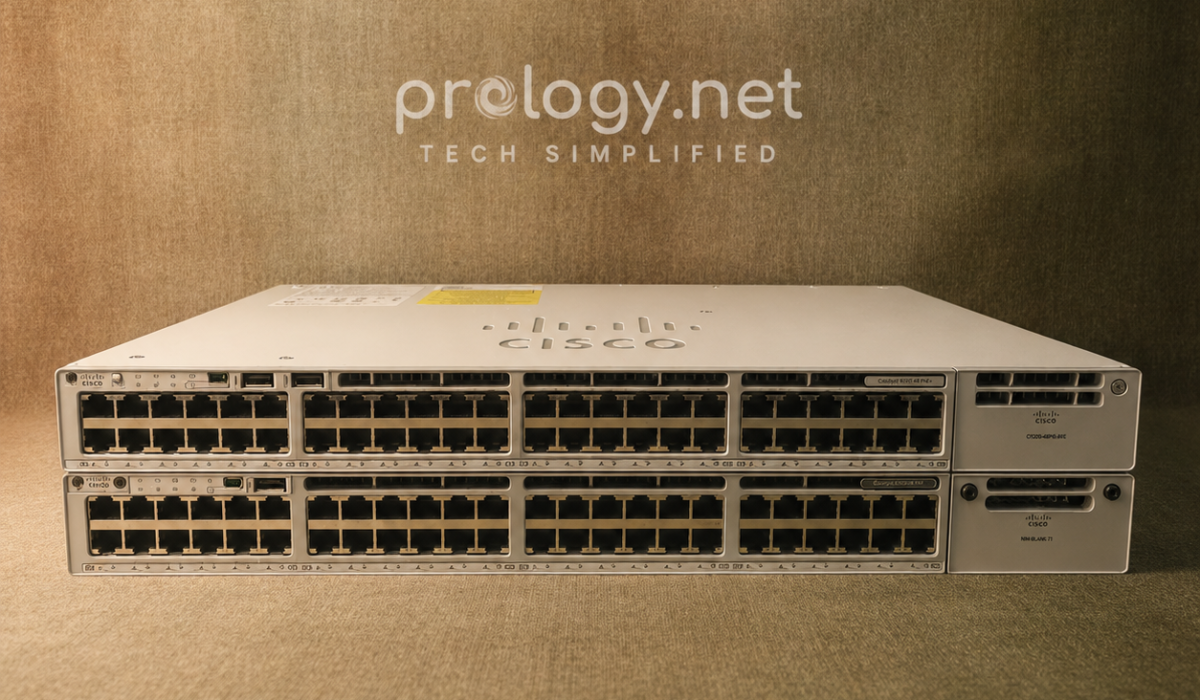
Which Switch Fits an Office Under 200 Employees
Many businesses are paying for network switch features they never actually use. Compare the Cisco Catalyst 9200 and 9300 — including their physical design — to choose what you need, not more than that.
Introduction
Not every business with under 200 employees needs a Cisco Catalyst 9300. In practice, plenty of companies are spending thousands of extra dollars a year on switch features they never touch — purchased because someone said it was “more powerful,” not because the business actually needed it.
The right question when upgrading network infrastructure isn’t “which switch is the most powerful,” but “which switch fits my business’s actual needs.” For offices with 50 to 200 employees, the answer usually isn’t the top-tier model — it’s the model that matches current load and leaves a reasonable path to grow over the next few years.
Understanding the Cisco Catalyst 9200 and 9300
What they are and where they differ
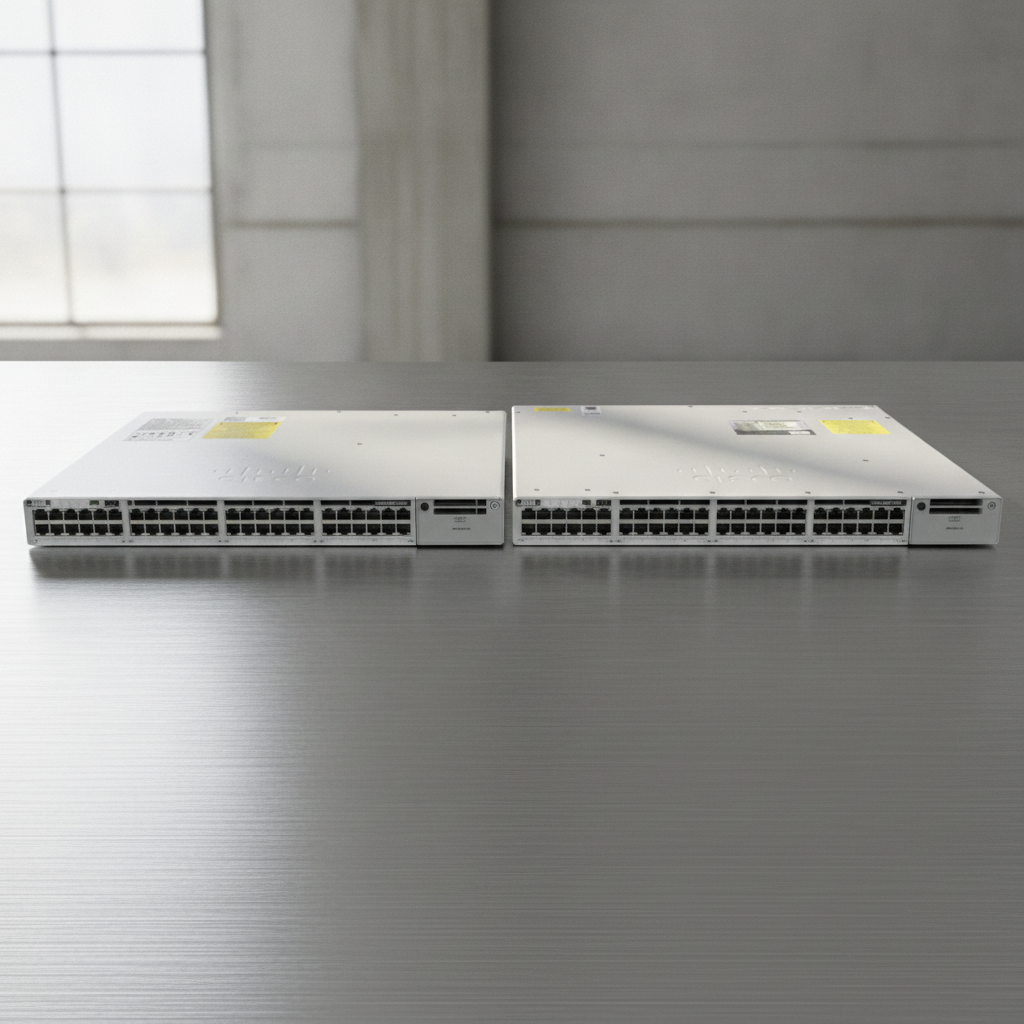
Both switches belong to the Catalyst 9000 family — Cisco’s current generation of access-layer switches, replacing the older 2960/3650 lines. What they share: both run IOS-XE, both support management through Cisco DNA Center or the Meraki dashboard (if you move to a cloud-managed setup), and both handle core needs like VoIP, IP cameras, and Wi-Fi access points without issue.
The real difference is that the 9300 is built for higher device density and greater room to grow — it’s the switch for a system that needs to “breathe” for years without a hardware refresh. The 9200 is leaner, and that’s plenty for an office running steadily without plans for a sudden jump in network infrastructure demand.
Detailed comparison: Cisco Catalyst 9200 vs 9300
Here are the criteria that actually create a meaningful difference between the two lines — not every spec matters, but these five are what should drive your decision:
| Criteria | Catalyst 9200 | Catalyst 9300 |
|---|---|---|
| Stacking capability | Limited, suited to standalone deployments | StackWise support, enabling flexible redundancy and expansion |
| High-power PoE handling | Handles standard PoE needs well (cameras, VoIP, basic APs) | Built for high-density PoE deployments, including large-scale Wi-Fi 6/6E APs |
| Module/uplink expansion | Basic, sufficient for current needs | More flexible, easier to scale as the system grows |
| Best fit | Single-floor office or branch, steady growth | Multi-floor or multi-site businesses with aggressive scaling plans |
| Investment level | More cost-efficient for mid-sized budgets | Higher upfront cost, justified if the features are actually used |
Looking at this table, it’s clear the 9300 isn’t “better” than the 9200 across the board — it only wins on the things not every business actually needs. If you have no plans to roll out 20 Wi-Fi 6E access points in the next two years, that extra capability mostly sits idle in the rack.
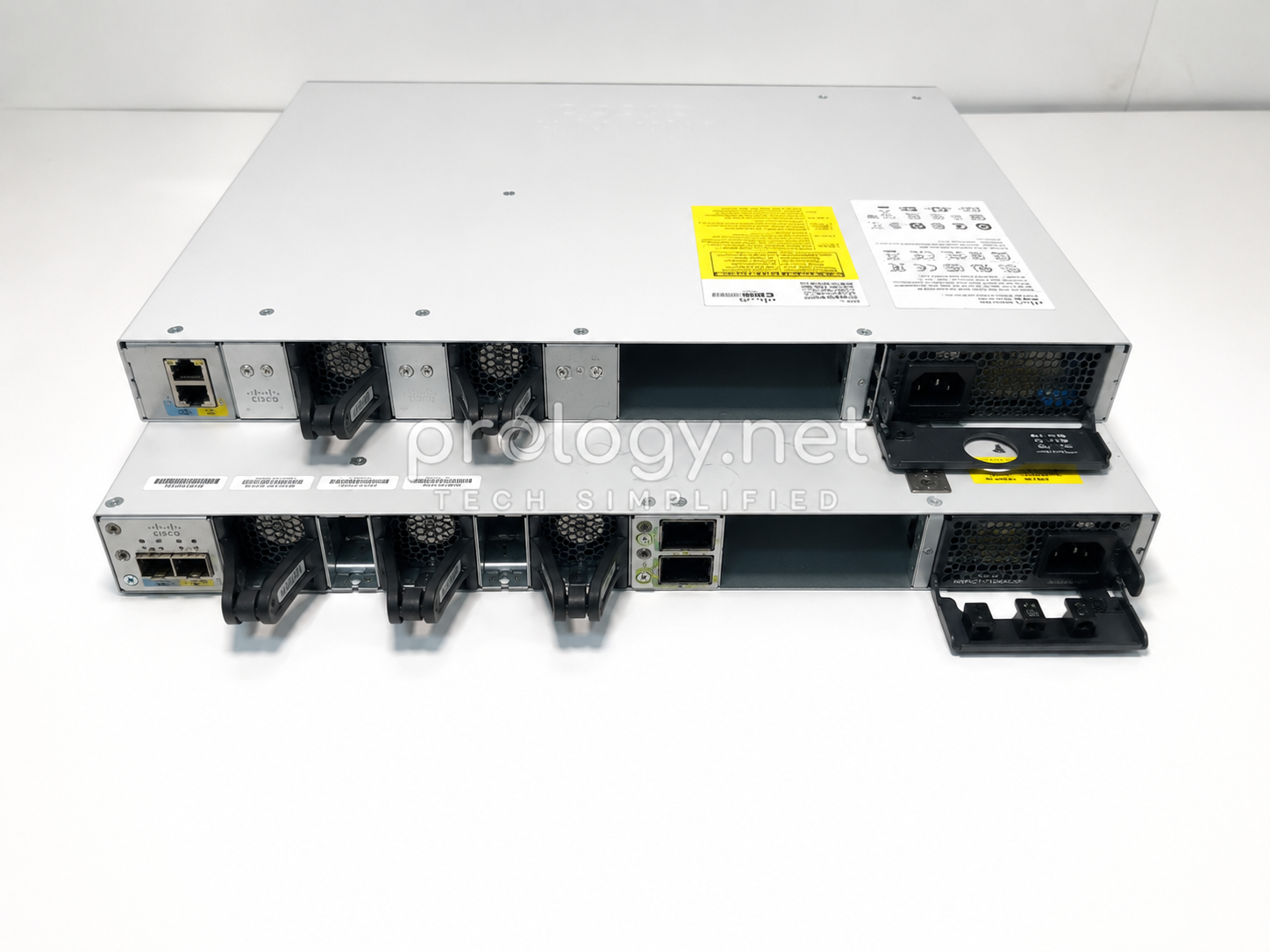
Physical Design Comparison: What the Hardware Actually Looks Like
This is the part most comparison articles skip — but it matters directly for racking, cooling, and day-to-day maintenance.
1. Shape and size
| Aspect | Catalyst 9200 / 9200L | Catalyst 9300 |
|---|---|---|
| Form factor | Fixed-configuration 1U rackmount | 1U rackmount, but with a more modular internal layout |
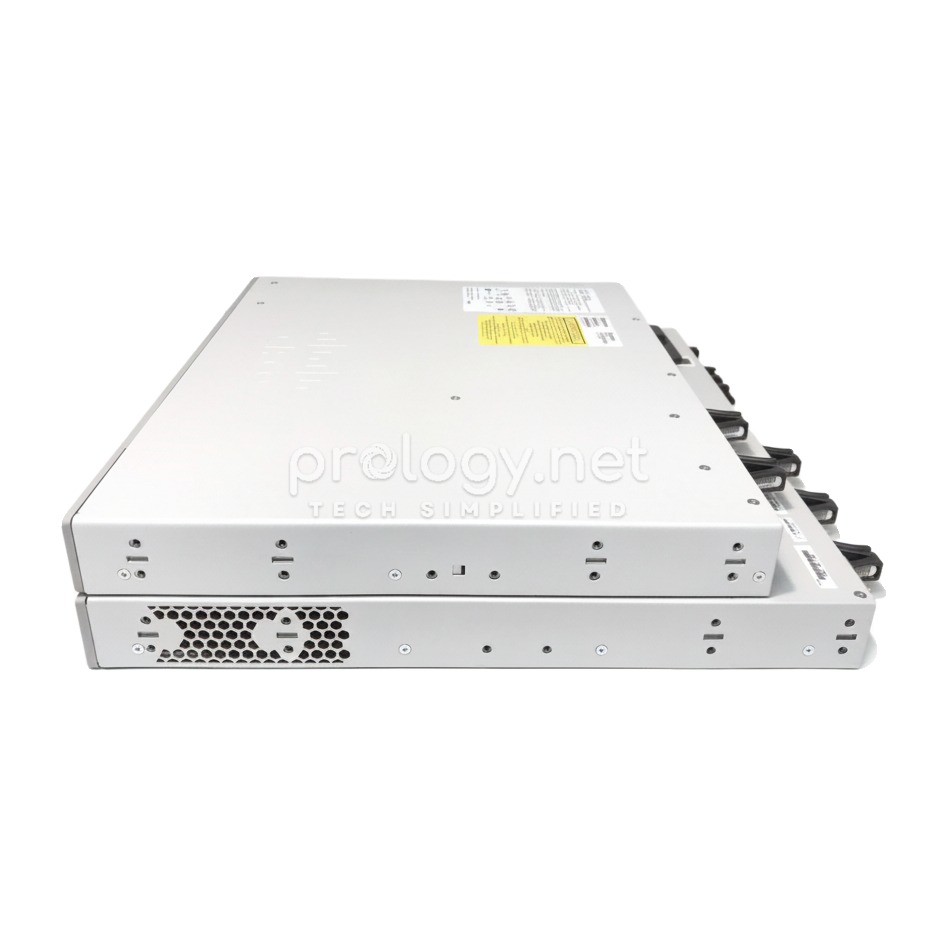
| Rack depth | 9200L runs shallower (around 12.5″); the standard 9200 is deeper (around 17.5″) | Deeper than the standard 9200, to house redundant PSU/fan bays and uplink module slots |
| Weight | Lighter, with fewer redundant components | Heavier, due to dual-PSU housing and redundant fan bays |
| Compact variant | 9200L is the slimmed-down version, with fewer field-replaceable parts | 9300L is a fanless, power-efficient variant — compact for small server rooms or branch sites |
| Design intent | Optimized for simple “install and forget” deployment | Optimized for serviceability — swap PSU, fans, or uplink modules without powering down |
The size difference reflects the design philosophy itself: the 9200 is built to be racked once and left alone, while the 9300 is built to be opened up and serviced — and that’s exactly why it needs the extra bulk to house swappable bays.
2. Rear panel comparison: ports, fans, console
| Aspect | Catalyst 9200 | Catalyst 9300 |
|---|---|---|
| Uplink ports | Fixed uplinks (typically 4x 1G SFP, or 4x 10G SFP+ on some SKUs) | Modular uplink slots — upgradeable to 25G/40G without replacing the whole switch |
| Power supply | Usually a single PSU; redundant power on select SKUs only | Supports dual PSUs for redundancy, reducing downtime risk from power failure |
| Fans | 9200L is fully fanless; the standard 9200 has fixed-speed fans with no field-replaceable bay and no acoustic tuning | Redundant, field-replaceable fan trays — keeps running even if one fan fails |
| Console port | Standard RJ-45/USB console port for direct CLI access | Same console access, with some models adding a dedicated out-of-band management port for remote access if the main network goes down |
| StackWise port | Limited or absent on smaller SKUs | Dedicated StackWise port on the rear panel for joining multiple switches into one logical system |
| Hot-swappable parts | Largely none — components require a power-down to service | PSU and fan trays can be pulled and swapped while the switch stays powered on |
In practice, if you put a 9200 and a 9300 side by side and look at the back, the biggest difference isn’t the port count on the front — it’s the “backstage” layout. The 9300 dedicates much more rear-panel space to removable bays (fans, power, uplink modules), while the 9200 is closer to a sealed unit: any repair means cutting power to the whole switch.
Business Benefits and Real-World Use Cases
Why choosing the right switch matters more than choosing the most powerful one
A well-matched switch delivers more than just speed:
- Stable Gigabit connectivity for every device in the office — workstations, printers, cameras
- Solid support for VoIP, IP cameras, and Wi-Fi access points without needing a separate switch for each device group
- Enterprise-grade security features like port security, 802.1X, and ACLs — not exclusive to the premium tier
- Simpler day-to-day management, since there’s no need to deal with features you’ll never use
- A more efficient use of budget, especially once you factor in licensing and annual support costs
Here’s what most businesses don’t account for: an over-specced switch doesn’t just cost more upfront — it costs more time. Your IT team ends up managing more capability than the job requires, and when something breaks, troubleshooting a more complex system takes longer too.
When the Catalyst 9300 makes more sense than the 9200
The 9300 is the right call when your business fits one of these situations:
- You’re planning significant growth over the next 3–5 years — more headcount, new office locations, or more digitized operations
- You’re deploying a large number of Wi-Fi 6/6E access points, especially in multi-floor buildings that need smooth roaming
- Your environment runs multiple high-power PoE devices at once (PTZ cameras, conferencing displays, premium APs)
- You need stacking and redundancy to reduce downtime if a switch fails
- You’re running multiple branches or floors and need a consistent, centrally manageable network architecture
Real-world deployment examples
A financial services firm with around 80 employees, operating out of a single floor and relying mainly on workstations and VoIP, is a textbook case where the 9200 is more than enough. They don’t need stacking, they’re not planning to double headcount any time soon, and the budget they save can go toward a better firewall or backup solution instead.
On the other end, a clinic chain with 4 branches, each with roughly 30–40 staff, rolling out surveillance cameras and Wi-Fi 6 across waiting areas — this is where the 9300 makes far more sense. Stacking lets them standardize infrastructure across locations, and the higher PoE density covers both the cameras and the APs without needing extra switches on the side.
The hardest call usually belongs to a fast-growing business with 150–200 employees that doesn’t yet have a clear 2–3 year roadmap. For this group, the practical advice is: if the budget allows, choosing the 9300 upfront still ends up cheaper than re-fitting the entire rack 18 months down the line.
Implementation Guide and Best Practices
Where businesses should start
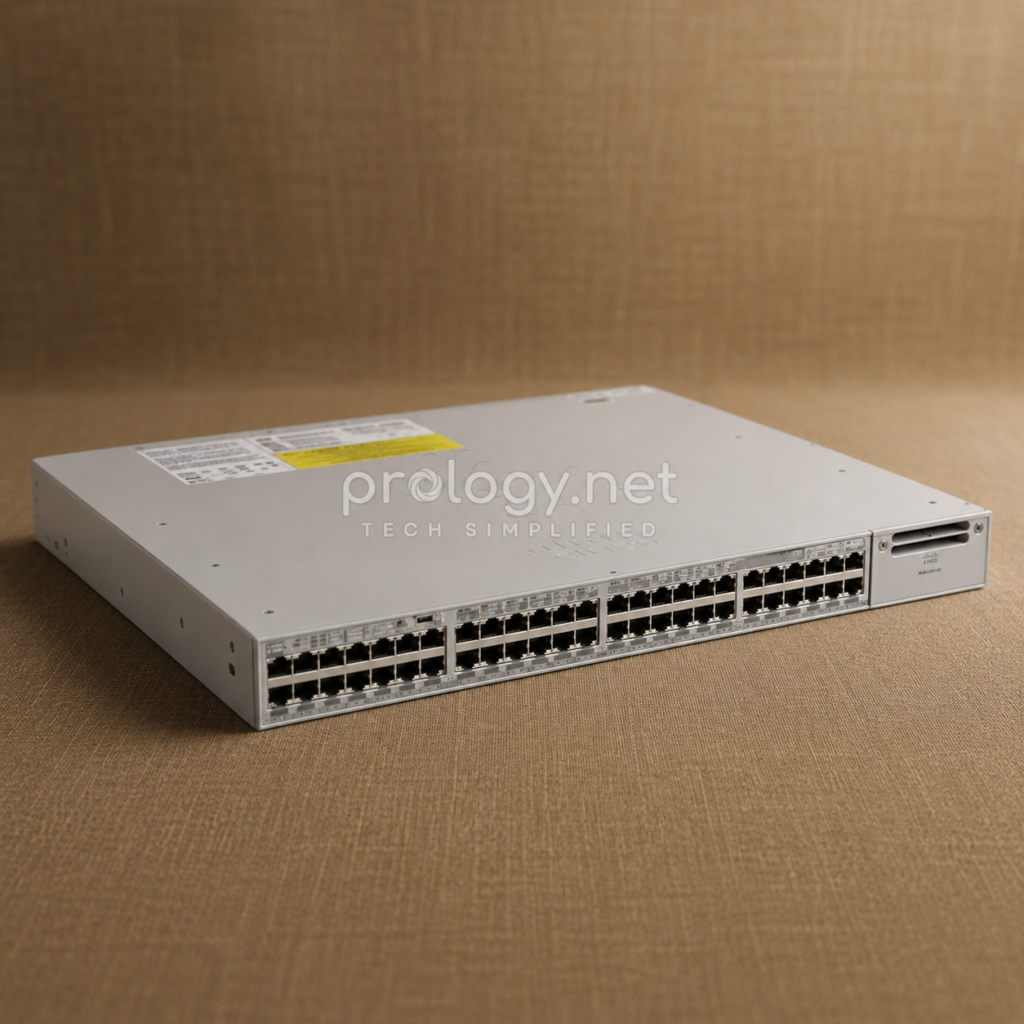
Before settling on a model, answer three questions: how many devices need to connect now and over the next two years, how many of those devices require PoE and at what power level, and whether the business has plans to expand into new offices or branches. The answers to these three questions determine about 80% of the decision between the 9200 and 9300 — the rest comes down to budget and available technical support.
Once needs are mapped out, the next step is checking compatibility with your existing Wi-Fi, camera, and VoIP systems — don’t let a new switch become a bottleneck because it doesn’t match your PoE standard or lacks the right uplink ports. Finally, plan the rollout in phases to avoid operational disruption, especially for businesses without an IT team on call around the clock.
Best practices for enterprise deployment
- Segment the network with VLANs from day one — separate office devices, cameras, and guest Wi-Fi to reduce network security risk
- If you go with the 9300, actually use the stacking feature for real redundancy, rather than buying the capability and never configuring it
- Enable baseline security features like port security and 802.1X during initial setup, not as an afterthought
- For multi-branch businesses, consider moving to centralized management through Meraki or Cisco DNA Center, rather than SSH-ing into each switch individually whenever something goes wrong
- If your infrastructure requires remote connectivity or a backup link, pair it with an SD-WAN solution at the router layer to maintain continuity if the primary connection fails
Common mistakes businesses should avoid
The most common mistake is over-buying — choosing the 9300 “just to be safe” and then running it as nothing more than a standard Gigabit switch. The consequence isn’t just a wasted upfront budget; it’s also higher licensing and annual support costs that persist for the entire lifecycle of the device, for no real benefit.
The second mistake runs the opposite way: choosing the 9200 for a system that’s already showing clear signs of growth, only to face a full replacement 18–24 months later once it runs out of room to expand — far more expensive than getting the investment right from the start. And the third mistake, one few people notice until it’s too late, is skipping VLAN and security configuration at install time, which means having to take the system down later to configure it properly — turning what should have taken a few hours upfront into unnecessary downtime.
Future Trends and Industry Outlook
Enterprise network infrastructure is clearly shifting toward cloud-based management — not just Cisco with DNA Center, but also the Meraki and Ubiquiti ecosystems, which are pushing harder toward centralized monitoring and configuration through a dashboard, reducing the need for manual, switch-by-switch intervention. For businesses under 200 employees, this trend means choosing a switch is no longer just about hardware — it’s also about choosing a management ecosystem that fits the size of your current IT team.
The rollout of Wi-Fi 6E and higher-power IoT devices is also pushing PoE demand to a new level, widening the gap between mid-tier and premium switch lines. That’s exactly why the choice between the 9200 and 9300 today will directly shape how easily your business can upgrade its Wi-Fi over the next 2–3 years.
Conclusion
If your office has under 200 employees, no plans for aggressive expansion, and your main need is stable connectivity for workstations, VoIP, and basic Wi-Fi, the Catalyst 9200 is the sound choice on both performance and cost. If you’re rolling out — or about to roll out — a large number of Wi-Fi 6/6E access points, running multiple high-power PoE devices, or planning new branch locations in the next few years, the 9300 is the better long-term investment, even with a higher upfront cost.
Here’s something few businesses factor in: the switch you choose today will lock you into that decision for at least 5–7 years of operation. If you’re not confident about your growth trajectory, it’s worth sitting down with an infrastructure consultant to properly assess your needs before placing an order — because the cost of correcting a wrong network infrastructure decision always outweighs the cost of getting advice upfront.