

Upgrading Server RAM & SSD: The Most Cost-Effective Performance Boost for AU Data Centers
Introduction: The Imperative for Peak Performance in AU Data Centers
In Australia’s rapidly evolving digital landscape, data centers are the backbone of virtually every industry. From finance and healthcare to e-commerce and government services, the demand for fast, reliable, and secure data processing is relentless. However, as applications grow more complex and data volumes skyrocket, many Australian data centers face a common dilemma: how to enhance performance, reduce latency, and improve efficiency without incurring the exorbitant costs associated with complete hardware overhauls or migrating entirely to the cloud. The answer often lies in a strategic and highly effective approach: upgrading server RAM and SSDs.
This isn’t merely about adding more memory or faster storage; it’s about intelligently optimizing your existing infrastructure to unlock its full potential. For Australian businesses, where operational efficiency and competitive advantage are paramount, understanding the profound impact of these upgrades can be a game-changer. This article will delve deep into why upgrading server RAM and SSD is not just beneficial, but arguably the most cost-effective performance boost you can implement for your AU data center today, providing tangible benefits that ripple across your entire operation.
Unpacking the Power of Strategic Upgrades
Part 1: Concept Explanation – The Foundations of Server Performance
To truly appreciate the value of RAM and SSD upgrades, it’s essential to understand their individual roles and how they synergize within a server environment. These aren’t just components; they are critical bottlenecks or accelerators, dictating the speed and responsiveness of your entire system.
Understanding Server RAM (Random Access Memory)
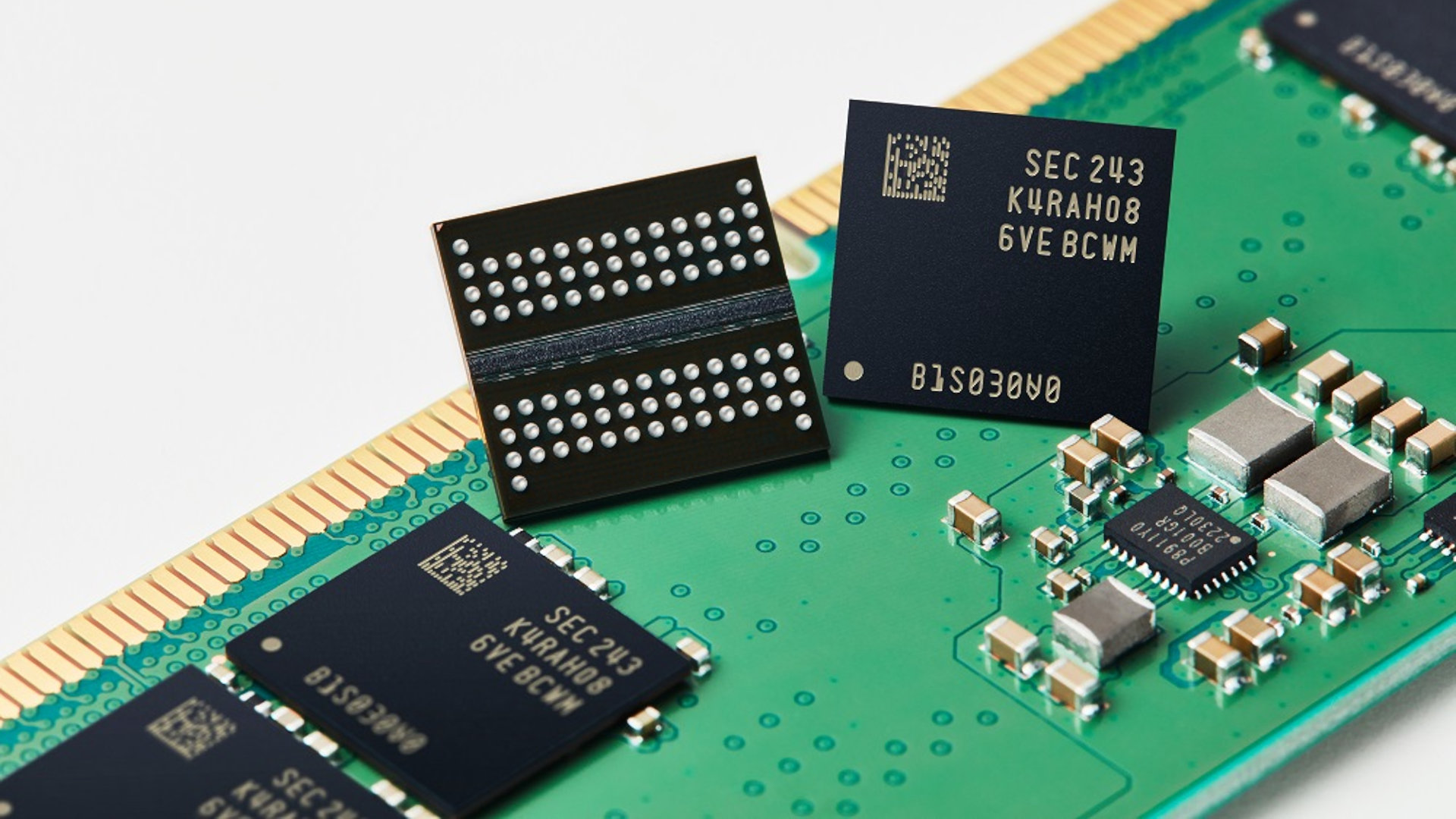
RAM acts as a server’s short-term memory, a super-fast workspace where the CPU temporarily stores data it needs to access quickly. Unlike long-term storage (like an SSD), RAM is volatile, meaning data is lost when the power is off. Its primary function is to hold active programs, operating system instructions, and frequently accessed data, enabling the CPU to retrieve information almost instantaneously. The more RAM a server has, the more concurrent tasks it can handle without slowing down, reducing the need to swap data to much slower disk storage (which is called “paging” or “swapping”).
In a data center context, sufficient RAM is vital for:
- Virtualization: Each virtual machine (VM) requires its own allocation of RAM. More physical RAM allows for higher VM density, meaning more VMs can run efficiently on a single physical server.
- Databases: Databases thrive on RAM, caching frequently queried data and indexes to drastically speed up query execution.
- Web Servers & Application Servers: Handling numerous concurrent user sessions, processing complex requests, and running multiple applications simultaneously all depend heavily on ample RAM.
- Big Data Analytics: In-memory processing for analytics platforms can deliver insights in real-time, which is impossible with insufficient RAM.
When RAM is inadequate, a server spends valuable CPU cycles constantly moving data between RAM and slower storage, leading to sluggish performance, increased latency, and frustrated users.
Understanding SSDs (Solid State Drives)
SSDs have revolutionized storage by replacing traditional spinning platters of Hard Disk Drives (HDDs) with flash memory. This fundamental shift eliminates mechanical moving parts, resulting in a dramatic increase in speed, durability, and power efficiency. For data centers, the key performance metrics for storage are Input/Output Operations Per Second (IOPS) and latency, where SSDs significantly outperform HDDs.
Key advantages of SSDs include:
- Blazing Fast Read/Write Speeds: SSDs can perform hundreds of thousands of IOPS, orders of magnitude greater than HDDs, which typically manage only a few hundred. This translates to quicker boot times, faster application loading, and rapid data access.
- Lower Latency: The time it takes for a request to travel from the server to the storage and back is significantly reduced with SSDs, crucial for transactional databases and real-time applications.
- Durability: With no moving parts, SSDs are more resistant to physical shock and vibration, making them more reliable in demanding data center environments.
- Energy Efficiency: SSDs consume less power than HDDs, contributing to lower operational costs and reduced heat generation within the data center.
When combined, sufficient RAM prevents the CPU from waiting for data, and fast SSDs ensure that when data needs to be retrieved from persistent storage, it happens almost instantly. This synergistic effect is where the true performance gains lie.
Part 2: Benefits and Applications – Why This is the Smart Choice for AU Data Centers
The decision to upgrade server RAM and SSDs isn’t just a technical one; it’s a strategic business move, particularly for Australian organizations keen on optimizing resources and maximizing ROI.
The Unrivalled Cost-Effectiveness
This is arguably the most compelling benefit. Compared to purchasing brand-new servers or undertaking a complex and expensive cloud migration, RAM and SSD upgrades offer an exceptional return on investment. New server hardware can cost tens of thousands of dollars per unit, not including licensing, migration, and deployment. Cloud services, while flexible, come with ongoing operational expenses that can quickly add up, especially with high data transfer and storage demands. By contrast, RAM and SSD modules are relatively inexpensive, providing a significant performance uplift for a fraction of the cost. You leverage your existing capital investment in server chassis, CPUs, and other infrastructure, extending the lifespan and utility of assets you already own.
Dramatic Performance Boost Across the Board
- Reduced Application Latency: Databases, web applications, and enterprise software will respond faster, directly impacting user experience and operational efficiency. Imagine faster checkout processes for e-commerce or quicker patient record retrieval in healthcare.
- Increased Concurrent User Handling: Data centers supporting customer-facing applications can handle more users simultaneously without degradation in service, crucial for peak traffic periods.
- Faster Data Processing & Analytics: For businesses relying on big data, AI/ML models, or complex simulations, upgraded RAM and SSDs drastically cut down processing times, enabling quicker insights and decision-making.
- Superior Virtualization Performance: Achieve higher VM density and improved responsiveness for individual VMs. This means your virtualized environments run smoother, supporting more applications and users on the same physical footprint, maximizing your infrastructure utilization.
Enhanced Energy Efficiency and Sustainability
Modern RAM and SSDs are significantly more energy-efficient than older generations or traditional HDDs. By upgrading, you can reduce the power consumption of your servers, leading to lower electricity bills – a tangible saving for Australian data centers where energy costs are a significant factor. Furthermore, reducing heat generation contributes to a cooler data center environment, potentially lowering cooling costs and contributing to a more sustainable IT footprint.
Extended Lifespan of Existing Infrastructure
Instead of decommissioning servers that are still mechanically sound but underperforming, an upgrade breathes new life into them. This allows you to defer costly capital expenditures on new hardware, maximizing the value extracted from your current assets and aligning with a circular economy approach to IT.
Specific Relevance for AU Data Centers
Australia’s data center market is dynamic and competitive. Businesses demand high availability, low latency, and robust security. Localizing data and ensuring rapid access is often a regulatory or customer expectation. By optimizing existing local infrastructure with RAM and SSD upgrades, Australian data centers can deliver superior performance, meet demanding SLAs, and maintain a competitive edge without the astronomical costs of entirely new builds or extensive reliance on overseas cloud infrastructure.

Part 3: Practical Guide – Implementing Your Upgrade Strategy
While the benefits are clear, a successful RAM and SSD upgrade requires careful planning and execution.
1. Performance Assessment: Identifying the Bottlenecks
Before any purchase, thoroughly assess your current server performance. Utilize monitoring tools (e.g., Prometheus, Grafana, built-in OS performance monitors) to analyze CPU utilization, memory usage, disk I/O, and network activity. Look for consistent spikes in memory usage (indicating paging to disk) or high disk queue lengths and low IOPS. This data will clearly indicate whether RAM or SSD (or both) are the primary bottlenecks. Don’t upgrade what isn’t broken.
2. Compatibility and Specifications: Doing Your Homework
This is critical. Not all RAM and SSDs are compatible with all servers. You’ll need to know:
- Server Model: Identify the exact make and model of your servers.
- RAM Type: DDR3, DDR4, or DDR5? ECC (Error-Correcting Code) vs. Non-ECC? Registered (RDIMM) vs. Unbuffered (UDIMM)? Servers typically require ECC Registered memory for stability and performance.
- Max Capacity & Speed: Check the motherboard and CPU specifications for the maximum RAM capacity per slot and the highest supported speed (e.g., 3200MHz).
- SSD Interface: SATA, SAS, NVMe? Form factors (2.5-inch, M.2, U.2)? Ensure your server’s backplane and controller support the chosen SSD interface and protocol. For modern data centers, NVMe SSDs offer superior performance over SATA/SAS.
- Power & Cooling: While SSDs consume less power, ensure your server’s power supply and cooling system can handle any new components.
Consult your server’s official documentation or manufacturer’s website for definitive compatibility lists.
3. Sourcing Quality Components: Reliability is Key
For data center environments, reliability and performance are paramount. Source enterprise-grade RAM and SSDs from reputable vendors. While new components offer warranties, high-quality refurbished enterprise components can provide significant cost savings without compromising on performance, especially when acquired from trusted suppliers with rigorous testing processes. This approach aligns perfectly with the cost-effective philosophy of these upgrades.
4. Planning for Downtime and Data Migration
RAM installation typically requires server downtime. SSD upgrades might involve data migration if they are replacing existing drives (or adding new storage). Plan these activities carefully, scheduling them during low-usage periods, and ensure robust backups are in place before starting. If migrating data, consider cloning tools or storage array migration features.
5. Installation and Testing
Follow manufacturer guidelines for installation. Always use anti-static precautions. After installation, perform thorough testing to ensure the new components are recognized, stable, and delivering the expected performance improvements. Monitor key metrics again to validate the upgrade’s success.
6. Consider Professional Assistance
If your internal IT team lacks the expertise or time, consider engaging professional services. Experts can help with assessment, component selection, installation, and post-upgrade optimization, ensuring a smooth transition and maximum benefit.
Conclusion: Future-Proofing Your AU Data Center with Smart Upgrades
In the demanding environment of Australian data centers, where performance, cost-efficiency, and reliability are non-negotiable, upgrading server RAM and SSDs stands out as the most pragmatic and impactful strategy. It’s not just a quick fix; it’s a strategic investment that breathes new life into your existing infrastructure, delivering substantial gains in speed, responsiveness, and energy efficiency. By optimizing your current assets, you defer major capital expenditures, reduce operational costs, and significantly enhance the user experience for your applications and services.
For any Australian business looking to extract maximum value from its IT infrastructure, overcome performance bottlenecks, and maintain a competitive edge without breaking the bank, a well-planned RAM and SSD upgrade strategy is an undeniable path forward. It empowers your data center to handle increased workloads, accelerate critical operations, and solidify its role as a high-performing asset in your digital strategy.