

The Three GB10 AI Mini Servers Worth Knowing: GIGABYTE AI TOP ATOM, MSI EdgeXpert MS-C931, and ASUS Ascent GX10
The NVIDIA GB10 “AI mini server” market counts nearly a dozen names, but for most buyers the three most accessible and most worth considering are the GIGABYTE AI TOP ATOM, the MSI EdgeXpert MS-C931, and the ASUS Ascent GX10. Same chip, same 128GB of unified memory — yet three completely different personalities: a no-nonsense lab box, a serious industrial device, and a configuration-flexible reference machine. This article profiles each in detail, so you can recognize the right one for you from its outward character down to its storage options.
The shared foundation: one GB10 heart in all three
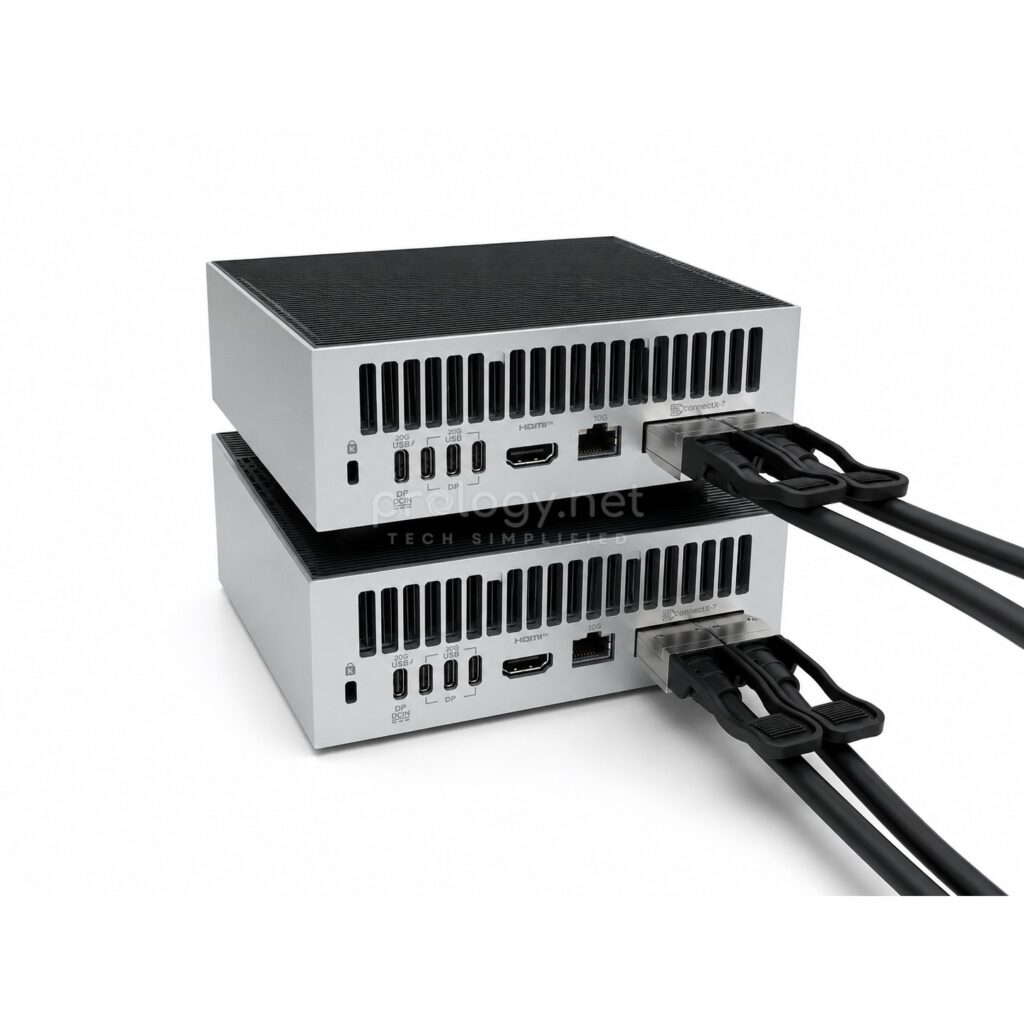
Before the individual profiles, a quick recap of what’s absolutely identical. All three are built around the NVIDIA GB10 Grace Blackwell Superchip — a 20-core Arm CPU (10 Cortex-X925 + 10 Cortex-A725) paired with a Blackwell GPU on one chip — with 128GB of unified LPDDR5x memory at 273 GB/s and 1000 AI TOPS (FP4), roughly 1 petaFLOP. All three run NVIDIA DGX OS with the AI software stack preinstalled, handle models of up to 200 billion parameters on a single unit, and carry ConnectX-7 networking that lets two units join into a cluster for models of up to 405 billion parameters — a topic Prology has covered in a dedicated article on the QSFP56 200G DAC cable that makes it happen. All of them run off a ~240W adapter plugged into a normal office outlet.
In other words: performance is not what separates these three. Design, storage options, and positioning are — and that’s what the rest of this article is about.
GIGABYTE AI TOP ATOM: the pragmatic lab box
Design
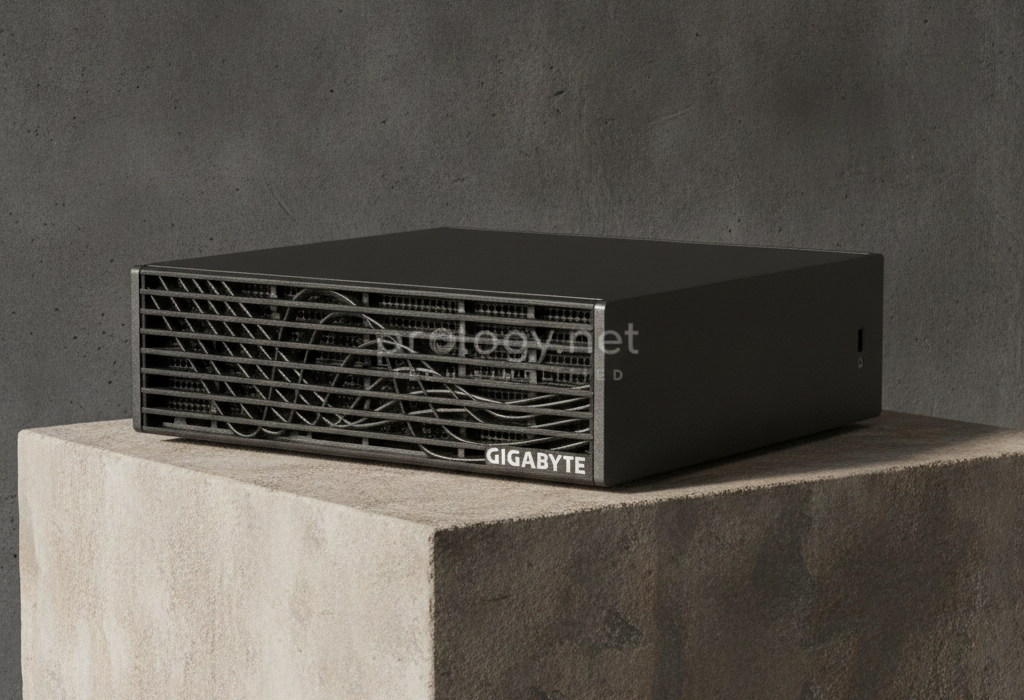
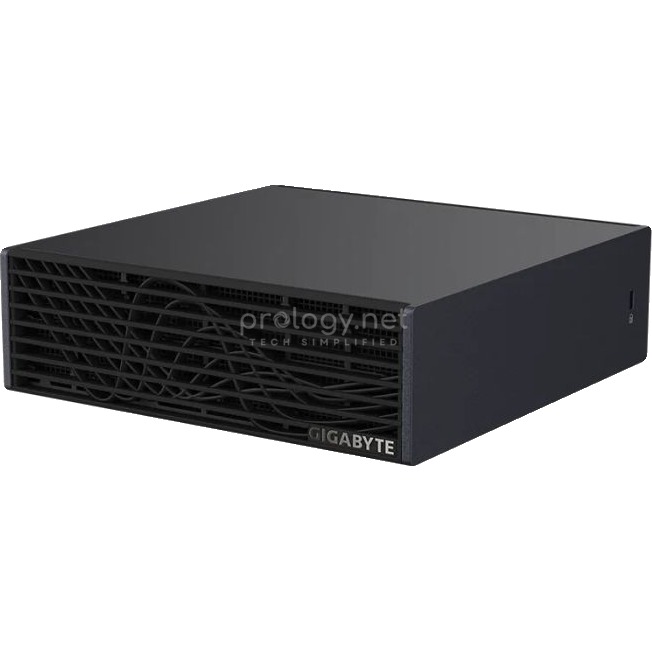
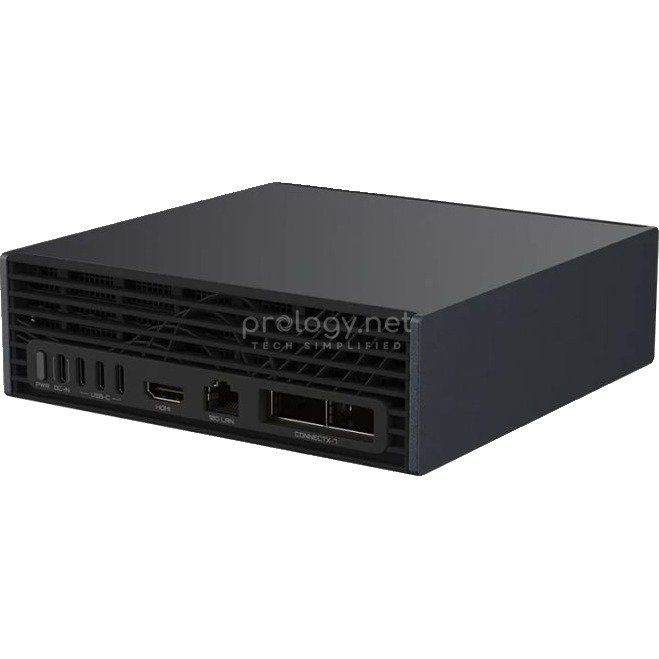
The AI TOP ATOM is the most understated of the three: a plain black box at 150 x 150 x 50.5 mm and 1.2 kg — tied with MSI for lightest in the GB10 family. Its one identifying feature is the front grille with an unusual asymmetric wave pattern, with a small GIGABYTE logo in the corner. All connectivity gathers at the rear: power button, DC-in, a row of USB-C ports, HDMI, 10G LAN, and two ConnectX-7 cages — a layout nearly identical to its GB10 siblings.
Configuration and positioning
Per GIGABYTE’s official spec page, the ATOM lists a 4TB M.2 NVMe PCIe 5.0 configuration — going straight to the top storage tier of the GB10 family — along with Wi-Fi 7 and Bluetooth 5.4. GIGABYTE aims the machine at prototyping and local AI labs: the messaging is about model experimentation and cluster-style scaling, with little corporate polish. Market surveys regularly cite the ATOM as one of the more competitively priced options in the group — fitting its image as a working tool rather than a corporate asset.
Who it fits
Technical teams that want a well-priced 4TB machine for an internal AI lab, serious individual users running large models at home, or startups that want maximum storage on a tight budget. If you don’t need corporate procurement processes or self-encrypting storage, the ATOM is a very pragmatic candidate.
MSI EdgeXpert MS-C931: the serious industrial device
Design
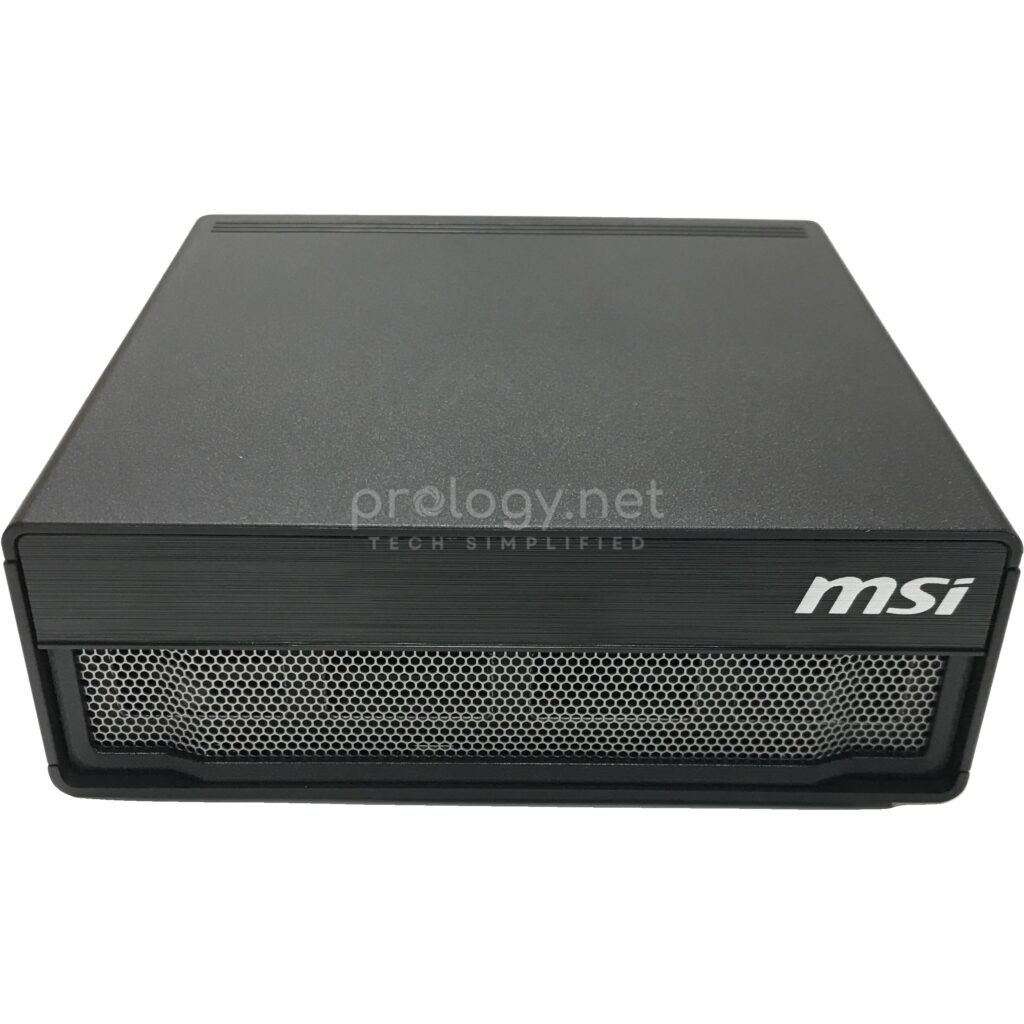
The MS-C931 carries the strongest industrial character in the group: a squared-off matte black body at 151 x 151 x 52 mm and 1.2 kg, fronted by a uniform honeycomb grille. MSI files it under its industrial PC (IPC) catalog — visible in specs few vendors publish: a 0–35°C operating range, smart fan control, TPM. The rear holds one distinctive detail: alongside the PD-in power port, a USB-C port supports PD-out to power external devices — handy for a dock or a portable monitor.
Configuration and positioning
The MS-C931 offers 1TB and 4TB storage options, and both use self-encrypting NVMe drives — data encrypted in the drive’s own hardware, at no cost to CPU/GPU resources. That detail defines the whole machine: MSI aims squarely at businesses buying local AI hardware for data security reasons — finance, healthcare, legal — where a “self-encrypting drive” line in a procurement document carries real weight. Display output runs through HDMI 2.1a plus DisplayPort 1.4a over USB-C, up to 4 independent displays. Prology has published a detailed unboxing of this machine.
Who it fits
Businesses with a security checklist, deployment environments rougher than an office (factory floors, edge sites, labs without stable climate control), or organizations that need full environmental specs on paper to approve a purchase. Pick the 1TB if your data lives on network storage; the 4TB if models and datasets stay on the machine.
ASUS Ascent GX10: the most flexible reference machine
Design
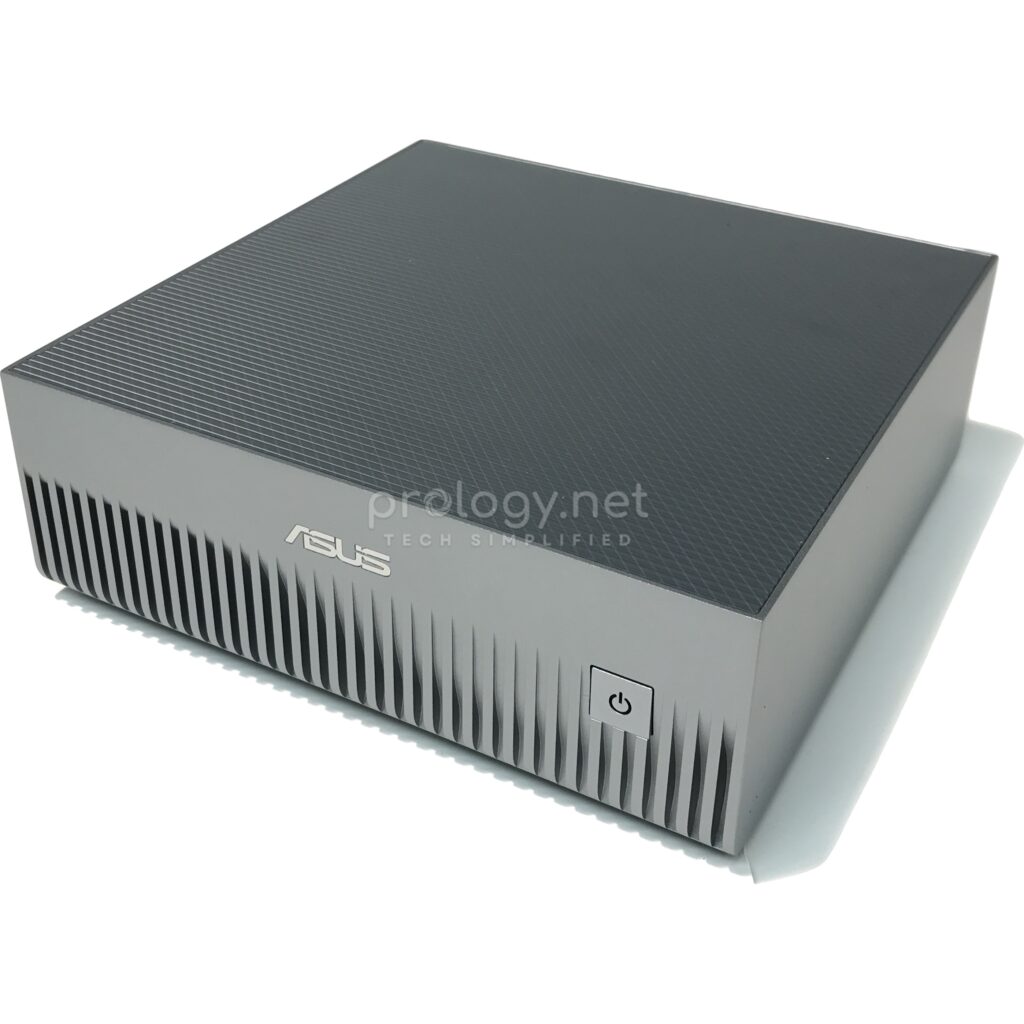
The GX10 is the only one of the three that isn’t black: a Stellar Grey shell with a textured 3D top, at 150 x 150 x 51 mm and 1.48 kg — heaviest in the group, yet lighter than any gaming laptop. The overall impression is closer to a premium office mini PC than machine-room equipment. The rear carries 3 USB-C ports at 20Gbps with DisplayPort 2.1 — the newest display standard in the group — plus a USB-C PD-in port, HDMI 2.1, 10G LAN, and the ConnectX-7 block.
Configuration and positioning
The GX10’s biggest weapon is the widest storage range in the GB10 family: 1TB and 2TB (both PCIe 4.0) and 4TB (PCIe 5.0). The 2TB tier is an option no other vendor offers — the balance point for teams that keep some models and datasets local without paying for the top configuration. The 1TB model serves as the cheapest ticket into the entire GB10 platform, listing around $3,000 in the US per market surveys. ASUS aims the machine at developers and researchers — true to the original “DGX Spark on your desk” spirit. Prology has published a full review and a direct GX10-vs-MS-C931 comparison.
Who it fits
First-time GB10 buyers on a tight budget (the 1TB), development teams that want the sensible middle storage tier (the market’s only 2TB), or anyone who values the newest display standard for a multi-monitor desk.
The three at a glance
| Model | Memory | Storage | Prology Price (AUD) | Stock | Buy |
|---|---|---|---|---|---|
| GIGABYTE AI TOP ATOM | 128GB | 4TB PCIe 5.0 | Request a quote | 2 units | View product → |
| NVIDIA DGX Spark | 128GB | 4TB | Request a quote | Check availability | View product → |
| ASUS Ascent GX10 | 128GB | 1TB / 2TB / 4TB | Request a quote | Check availability | View product → |
| MSI EdgeXpert MS-C931 | 128GB | 1TB / 4TB self-encrypting | Request a quote | 48 units | View product → |
| Acer Veriton GN100 | 128GB | Up to 4TB | Request a quote | 1 unit | View product → |
Pricing and stock availability are subject to confirmation.
Contact Prology for current pricing and availability.
Identical core across all three: GB10, 128GB @ 273 GB/s, 1 petaFLOP, ConnectX-7, Wi-Fi 7, ~240W, DGX OS, 200B/405B parameters.
Which one to choose?
The short version after all three profiles. Budget is the main constraint and you want the cheapest entry: GX10 1TB. You want the middle storage tier no one else offers: GX10 2TB. You want 4TB at a pragmatic lab price: AI TOP ATOM. You require hardware data encryption or a harsher operating environment: MS-C931 (1TB or 4TB). And whichever you pick, remember two things stressed in our earlier articles: all three machines have exactly one M.2 slot — choose the right capacity up front — and if your roadmap includes models beyond 200 billion parameters, order a QSFP56 200G DAC cable together with the second machine.
Frequently asked questions
Do the three differ in performance?
No — same GB10, same 128GB of unified memory, same 1 petaFLOP. The differences are storage, design, secondary features, and after-sales channels.
Does the GIGABYTE ATOM come in 1TB or 2TB?
GIGABYTE’s official spec page lists a 4TB PCIe 5.0 configuration. Other options, if any, vary by market — confirm with your distributor at purchase time.
Which machine clusters best?
All three cluster over ConnectX-7 using the same DGX Spark platform procedure. The general recommendation: pair two units of the same model for full vendor support.
Can the three brands be mixed in one office?
On the software side, absolutely — all three run the same DGX OS and NVIDIA stack, and code moves between them unchanged. The only consideration is managing warranties across multiple suppliers.
What do they cost?
Pricing per model and storage tier changes over time. Contact Prology for a current three-way quote.
Three personalities, one platform
The most interesting thing about lining these three up isn’t finding “the best machine” — the cores are identical — but seeing clearly which user each vendor chose to serve: GIGABYTE picked the pragmatic lab builder, MSI picked the security-conscious enterprise, ASUS picked the developer who wants configuration flexibility. Figure out which group you belong to, and you’ve nearly chosen your machine. Prology stocks GB10 hardware and clustering accessories — get in touch to see the machines in person and get configuration advice for your actual workload.