

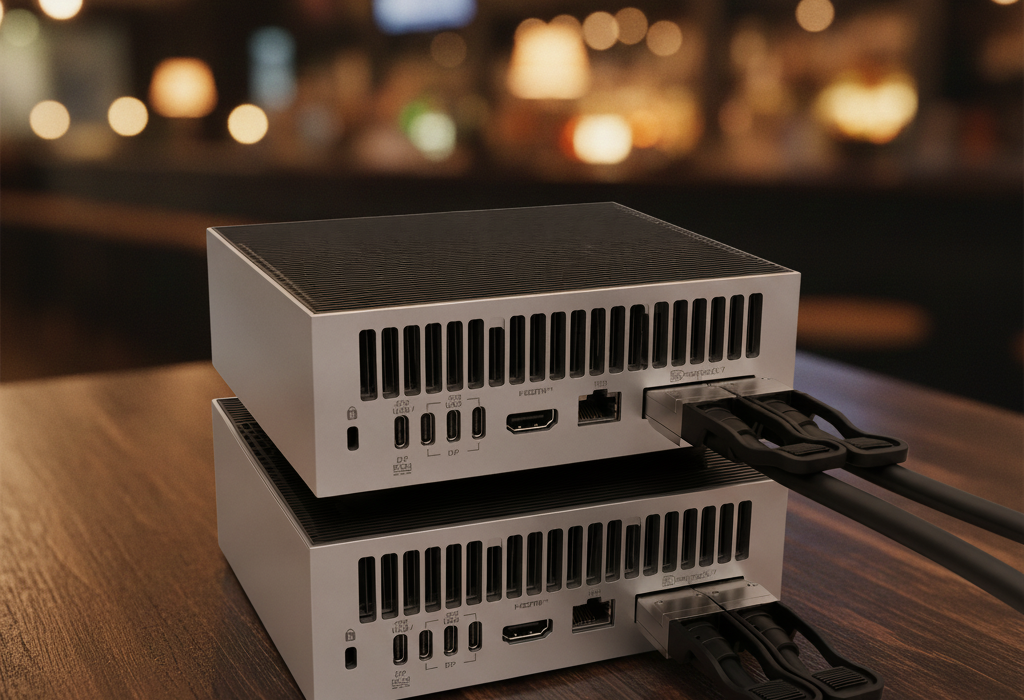
The QSFP56 200G DAC Cable: Half a Meter of Copper That Turns Two AI Mini Servers Into a Cluster
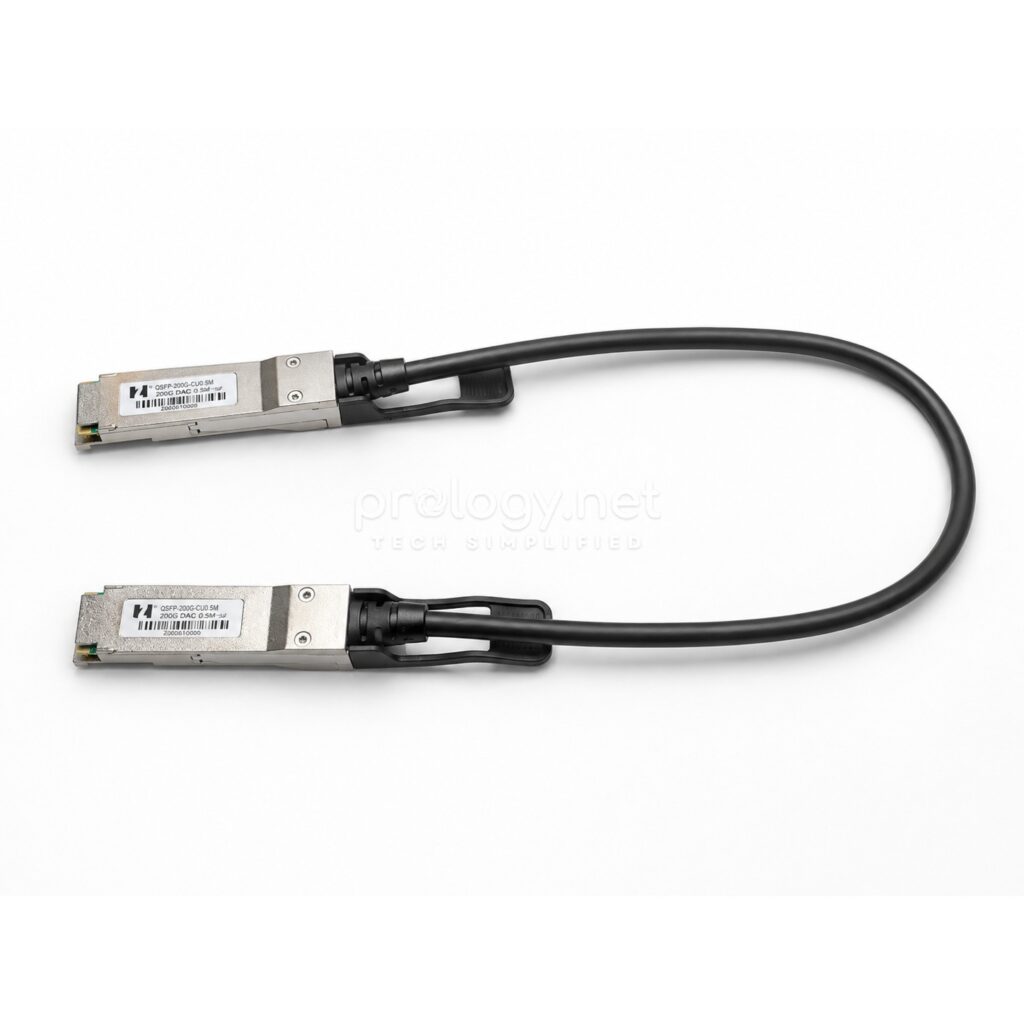
In the entire GB10 AI mini server ecosystem, the cheapest component is the one that unlocks the most expensive feature: a half-meter copper cable that lets two machines — each limited to 200-billion-parameter models on its own — join into a cluster that handles models of up to 405 billion parameters. That cable’s full name is the QSFP56 200G DAC. This article describes in detail what it is, how it’s built, why NVIDIA chose this approach over fiber, and how to buy the right one for your cluster.
What is a DAC cable?
DAC stands for Direct Attach Copper. Unlike a traditional fiber link, which involves three separate parts (an optical transceiver at each end plus the fiber between them), a DAC cable is one solid unit: a twinax copper core with both connectors permanently terminated at the factory. Plug it in and it works — no assembly, no cleaning optical ends, no worrying about mismatches between transceiver and fiber.
DAC cables come in two kinds. A passive DAC carries the electrical signal straight through the copper with no processing circuitry inside — so it draws almost no power and adds no processing latency. An active DAC adds signal-boosting chips at each end to reach farther, at the cost of power and price. For the half-meter gap between two machines sitting together, passive is enough — and it’s what GB10 clusters typically use.
One thing that confuses newcomers: a DAC cable plugs into the same cage designed for optical transceivers (the QSFP cage), so from the outside, each DAC end looks exactly like a transceiver with a cable permanently growing out of the back. As far as the network hardware is concerned, each end announces itself as a proper module — which is why cable-to-NIC compatibility is something to verify before you buy.
Decoding the name: what does QSFP-200G-CU0.5M mean?
The cable in Prology’s warehouse carries the part number QSFP-200G-CU0.5M, with “200G QSFP56 Passive Cable 0.5M” printed right on the label. Every piece of that name means something:
QSFP56 is the connector form factor — Quad Small Form-factor Pluggable, 56G generation. “Quad” means four signal lanes running in parallel inside one plug. In the QSFP56 generation, each lane carries 50Gb/s of data using PAM4 modulation — four lanes adding up to 200Gb/s. This is exactly the cage standard on the ConnectX-7 block of every GB10 machine.
200G is the total bandwidth: 200 gigabits per second. For scale: twenty times the 10G LAN port built into these same machines, and enough for two nodes to exchange model state during distributed inference without becoming the bottleneck.
CU is the chemical symbol for copper — confirming this is a copper-core DAC, not fiber.
0.5M is the half-meter length — sized for the single most common scenario: two machines stacked or side by side on the same desk.
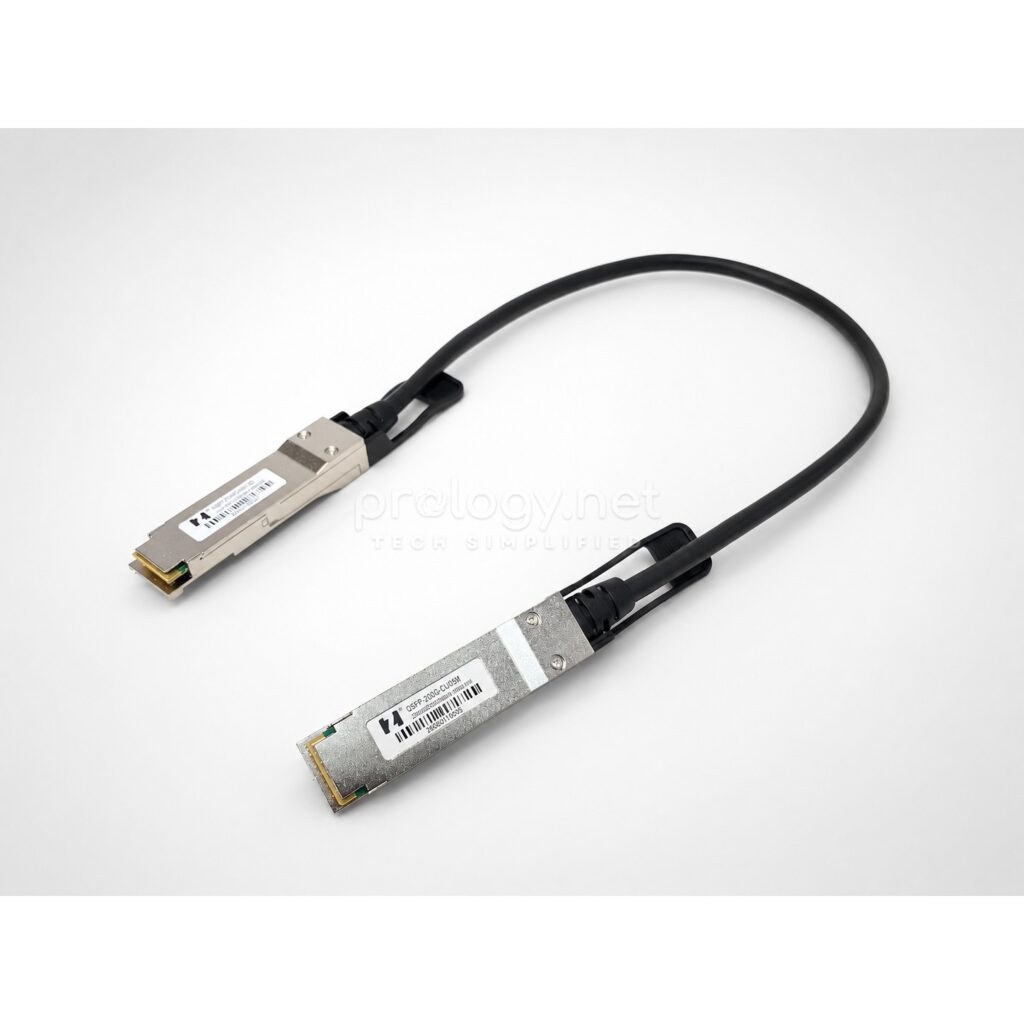
Anatomy: what’s inside half a meter of cable?
Holding the cable, three parts deserve attention.
Two metal connector housings. Each plug’s solid metal shell provides EMI shielding — mandatory at 200G, where any small interference corrupts PAM4 signaling, which is far more sensitive than traditional NRZ modulation. Inside each end sits a small board with an EEPROM chip carrying the cable’s identity (manufacturer, model, speed rating) for the NIC to read on insertion.
The pull-tab. The long plastic strip above each plug isn’t decoration: QSFP cages sit tightly packed on hardware, and the tab lets you release the cable with one pull instead of wedging fingers between ports.
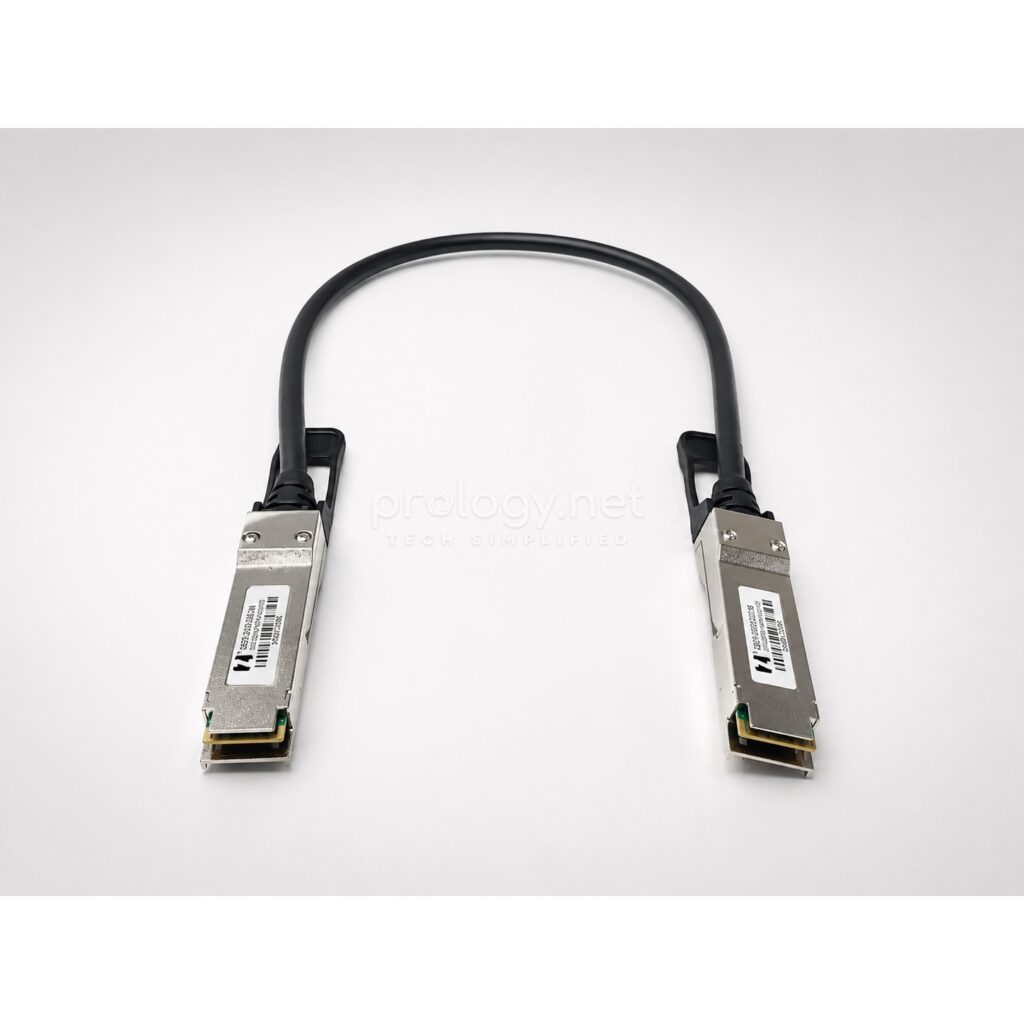
The twinax core. The run between the two ends is twinax cable — twisted copper pairs, each pair individually shielded. Versions under 2 meters typically use slim 30AWG conductors; longer versions must step up to thicker 26AWG to offset signal loss. That’s why short DACs stay flexible and easy to route while long ones grow noticeably stiff and heavy.
The whole passive cable draws under 0.1W — effectively nothing, against the several watts of a pair of optical modules. And with no processing circuitry, transit latency is simply the time an electrical signal takes to cross half a meter of copper: faster than any optical solution over the same distance.
Why DAC and not fiber?
At half a meter, a passive DAC beats fiber on every practical measure. Cost: one DAC is several times cheaper than two 200G optical transceivers plus fiber. Reliability: fewer components mean fewer failure points — no laser to age, no optical faces to collect dust. Power and heat: under 0.1W versus several watts of continuous heat from optics. Latency: as low as physics allows.
Fiber only wins when distance exceeds copper’s reach: passive DAC at 200G typically tops out around 2–3 meters. But the GB10 clustering scenario is two machines sitting together — squarely DAC home turf. NVIDIA offers an official 200G DAC option for the DGX Spark, and third-party cable makers sell compatible versions at friendlier prices.
Using it with the DGX Spark, GX10, and MS-C931
Per NVIDIA’s official clustering documentation for the DGX Spark platform, the physical procedure is one step: plug one end into a ConnectX-7 port on the first machine and the other end into the ConnectX-7 port in the same position on the second — both left ports or both right ports as viewed from the rear. The symmetric placement lets the software identify the node-to-node link correctly.
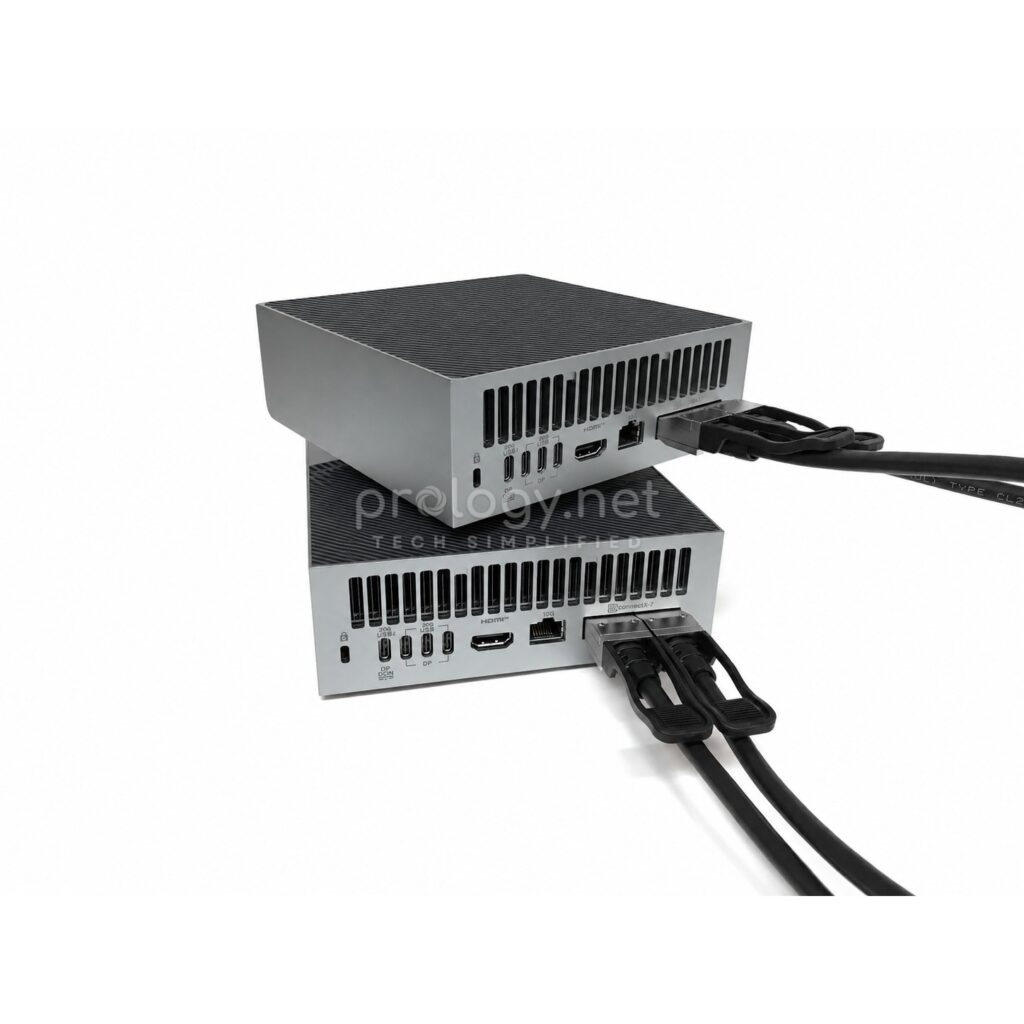
A detail many people miss: the DAC handles only the high-speed data path between the two nodes. The machines still need a separate management network connection — over the RJ-45 port or Wi-Fi — for coordination and outside access. In other words, a complete two-node cluster is: two machines, one (or two) DAC cables for data, and a regular network connection for management.
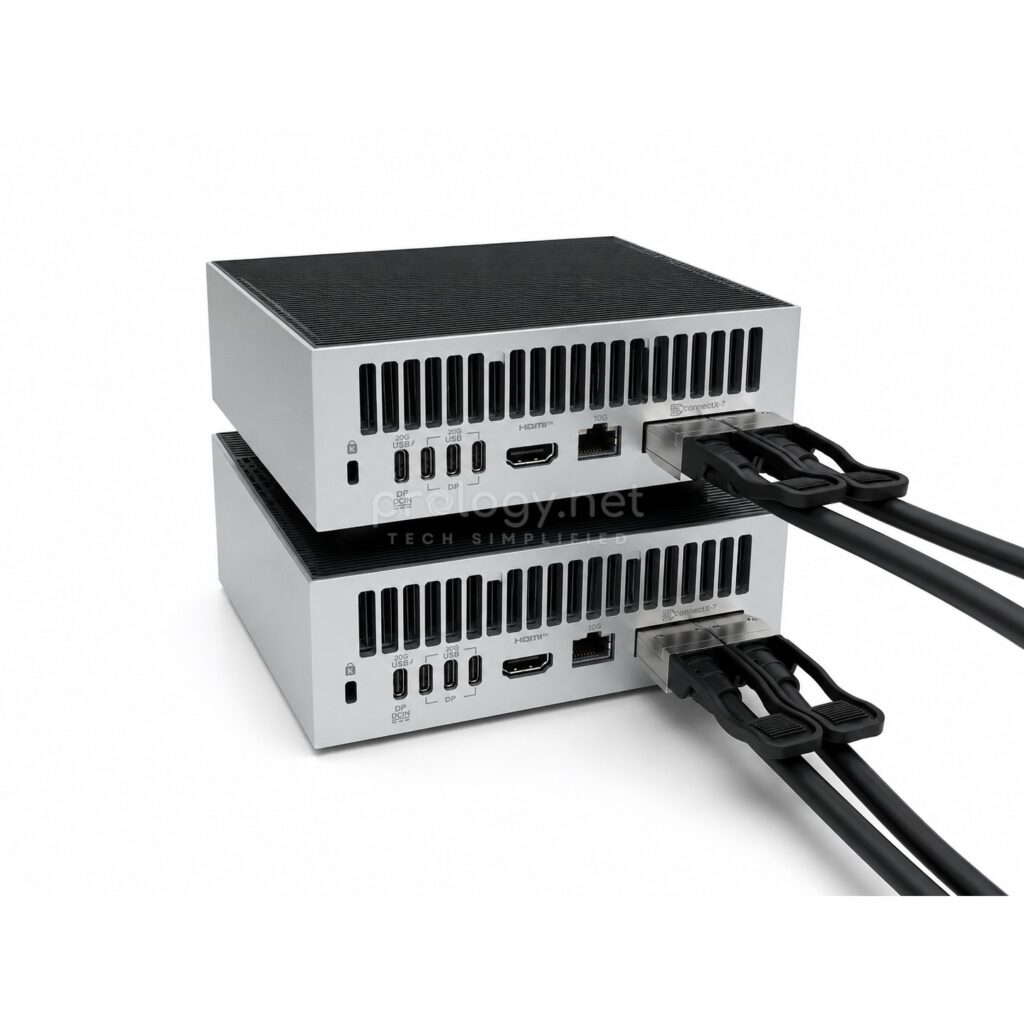
The procedure is the same across the GB10 family: the NVIDIA DGX Spark, the ASUS Ascent GX10, and the MSI EdgeXpert MS-C931 all share the ConnectX-7 port block and DGX OS. Prology has covered each machine in detail, plus a direct ASUS-vs-MSI comparison for readers still choosing hardware before thinking about clustering.
How to buy the right cable
The right speed standard. You need a QSFP56 200G DAC. Older QSFP cables from the networking closet — QSFP+ 40G or QSFP28 100G — fit the cage mechanically but don’t meet the 200G signaling standard of the ConnectX-7 link between the machines.
The right length — as short as possible. For two stacked machines, 0.5 m is exactly right. Only go longer if your desk layout truly demands it: longer cables are thicker and stiffer, and harder to route neatly on a rear panel already dense with ports.
Verified compatibility. The identity chip in each connector must be accepted by the ConnectX-7 card. Official NVIDIA cables are the zero-risk option; good third-party cables work perfectly for less — provided they’ve actually been tested on the platform. That’s the argument for buying from a supplier who tests cables on real GB10 hardware before shipping, rather than buying blind and experimenting.
Order it with the second machine. A hard-earned lesson: the cable costs tens of dollars, but without it, two machines worth thousands are just two separate nodes. Putting the cable on the same order as the hardware means the cluster runs on installation day.
Frequently asked questions
Can I use a 40G/100G QSFP cable I already have?
No. The cluster link between two GB10 machines runs the 200G QSFP56 standard; older generations don’t meet its 50G PAM4 per-lane signaling.
Do 200G DAC cables come longer than 0.5 m?
Yes — passive versions commonly reach about 2 meters; beyond that you need active DAC or optics. Rule of thumb: pick the shortest length that works.
Does it matter which ConnectX-7 port I use on each machine?
NVIDIA’s official guide calls for the same port position on both machines (both left or both right, viewed from the rear) so the system identifies the link correctly.
Does the DAC need any software configuration?
The cable itself doesn’t — a passive DAC is a “dumb” device. The two-node cluster setup happens in DGX OS, following NVIDIA’s clustering guide.
How much does a QSFP56 200G DAC cost?
Pricing varies between official NVIDIA cables and compatibility-tested third-party versions. Contact Prology for a current quote.
Don’t let the cheapest cable block the most expensive feature
The two-node cluster is a big part of why businesses pick the GB10 platform over a standalone workstation — and that entire capability runs through one half-meter copper cable. Getting the QSFP56 200G standard right, the length right, and compatibility verified on real hardware are three small tasks that let a large investment deliver in full. Prology stocks QSFP56 200G DAC cables tested directly on the ASUS Ascent GX10 and MSI EdgeXpert MS-C931 in our warehouse, with end-to-end advice on two-unit cluster setups — get in touch when you’re ready to go from 200B to 405B parameters.