

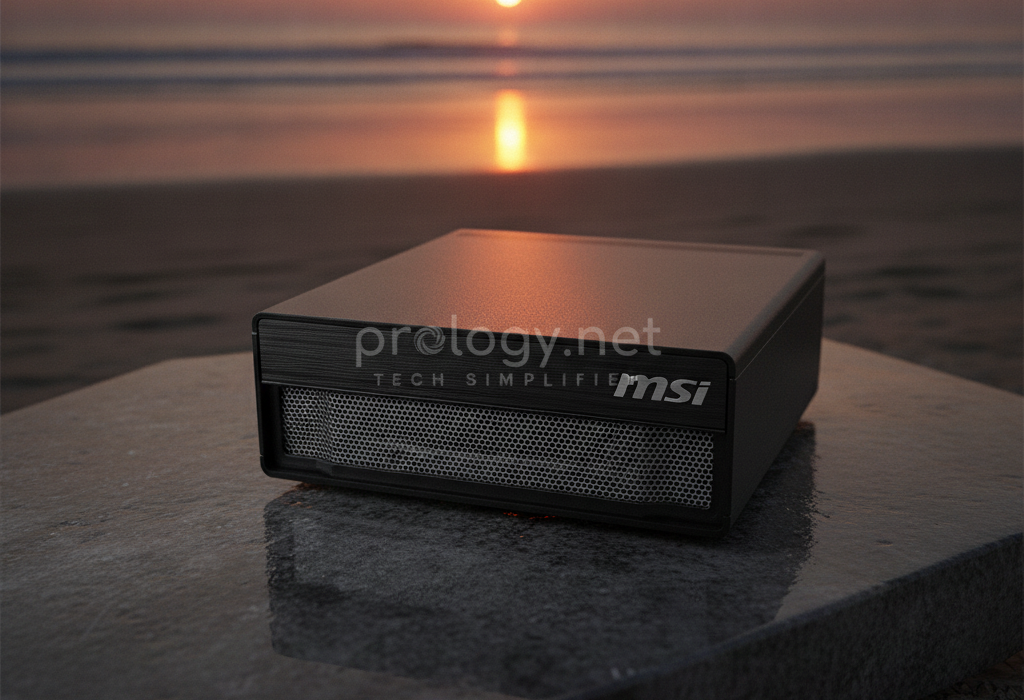
MSI EdgeXpert MS-C931 Unboxing: A 1-PetaFLOP “AI Supercomputer” That Weighs 1.2 kg
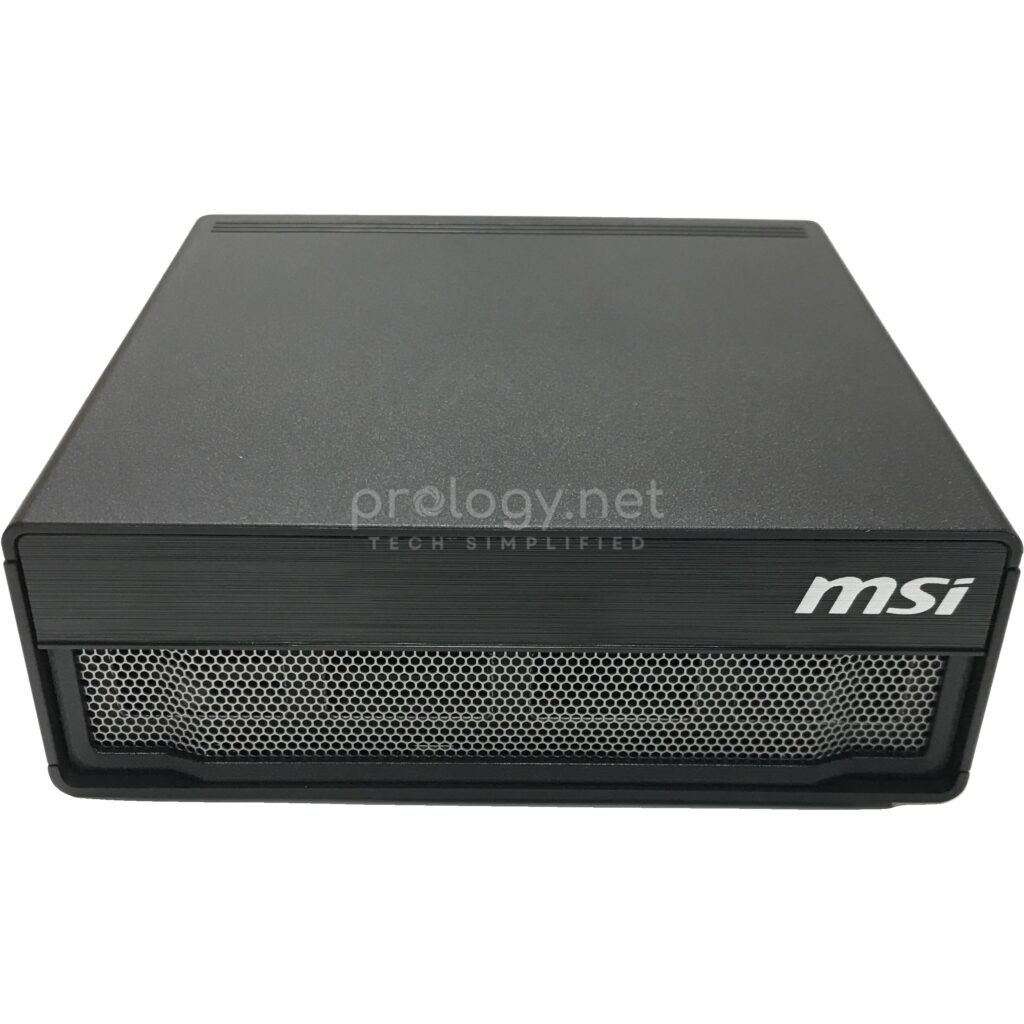
The MSI EdgeXpert MS-C931 just arrived at the Prology warehouse, and the first surprise comes before the box is even open: it barely weighs anything. Inside is a machine MSI unapologetically calls an “AI supercomputer” — 1 petaFLOP of performance, capable of running 200-billion-parameter language models, small enough to hold in one hand. This unboxing walks through the details: the design, the rear port cluster, the silicon inside, and the most interesting accessory on the table — a 200G cable that turns two of these machines into a cluster.
What is the MSI EdgeXpert MS-C931?
The EdgeXpert MS-C931 is MSI’s entry in the “personal AI supercomputer” wave NVIDIA started with the DGX Spark platform. Like its platform siblings from other vendors, it’s built around the NVIDIA GB10 Grace Blackwell Superchip: a 20-core Arm CPU (10 high-performance Cortex-X925 cores plus 10 Cortex-A725 cores) paired with a Blackwell-architecture GPU on a single chip, linked by NVLink-C2C — a CPU-GPU interconnect MSI rates at several times the bandwidth of PCIe 5.0.
Notably, MSI files the MS-C931 under its industrial PC (IPC) division rather than consumer hardware. That positioning says a lot about the intended buyer: enterprise AI teams, research labs, and universities — places that need a device to run steadily day after day, not a high-performance toy.
One thing worth clarifying up front: although machines like this often get called “AI servers,” the MS-C931 is not a rack server. It’s a desktop in the true sense — a local AI development and inference station that sits between an engineer’s laptop and real server infrastructure.
Opening the box: what’s on the table
The unit that arrived at Prology ships with the machine itself and a 240W USB-C power adapter with its cord — true to the minimalist spirit of DGX Spark devices: plug in power, connect to the network, start working. There’s no keyboard, mouse, or display in the box, and in practice most users will SSH in from their own laptop rather than sit at the machine.
For this particular order, Prology added one accessory that does not come in the standard box: a 0.5 m QSFP56 200G DAC cable. It becomes important at the end of this article, when we get to linking two units into a cluster.
Design up close: serious, minimal, very “industrial”
Where ASUS went with silver-grey for its GB10 machine, MSI took the opposite road: the MS-C931 is matte black and squared-off, with almost no decoration beyond the MSI logo on the front corner. The one flourish is the honeycomb mesh grille spanning the entire front face — both the air intake and the only visual personality on an otherwise reserved design.
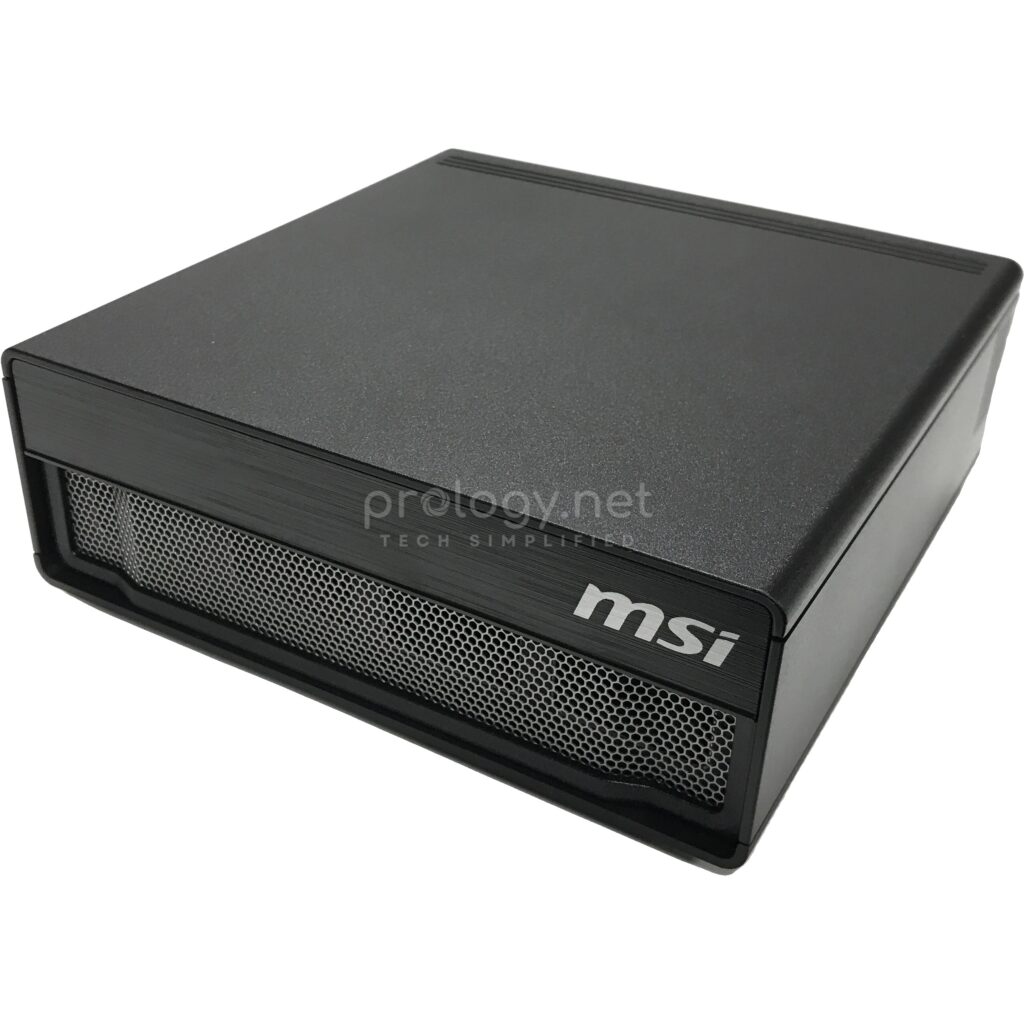
The measurements: 151 x 151 x 52 mm — a volume of just 1.19 liters — at 1.2 kg. For scale, it takes up about as much desk space as a lunchbox and weighs less than most 14-inch laptops. Both sides and the rear carry exhaust vents; air flows from the front honeycomb through to the back, a familiar layout in industrial machines built to run continuously. MSI rates the operating range at 0–35°C with smart fan control.
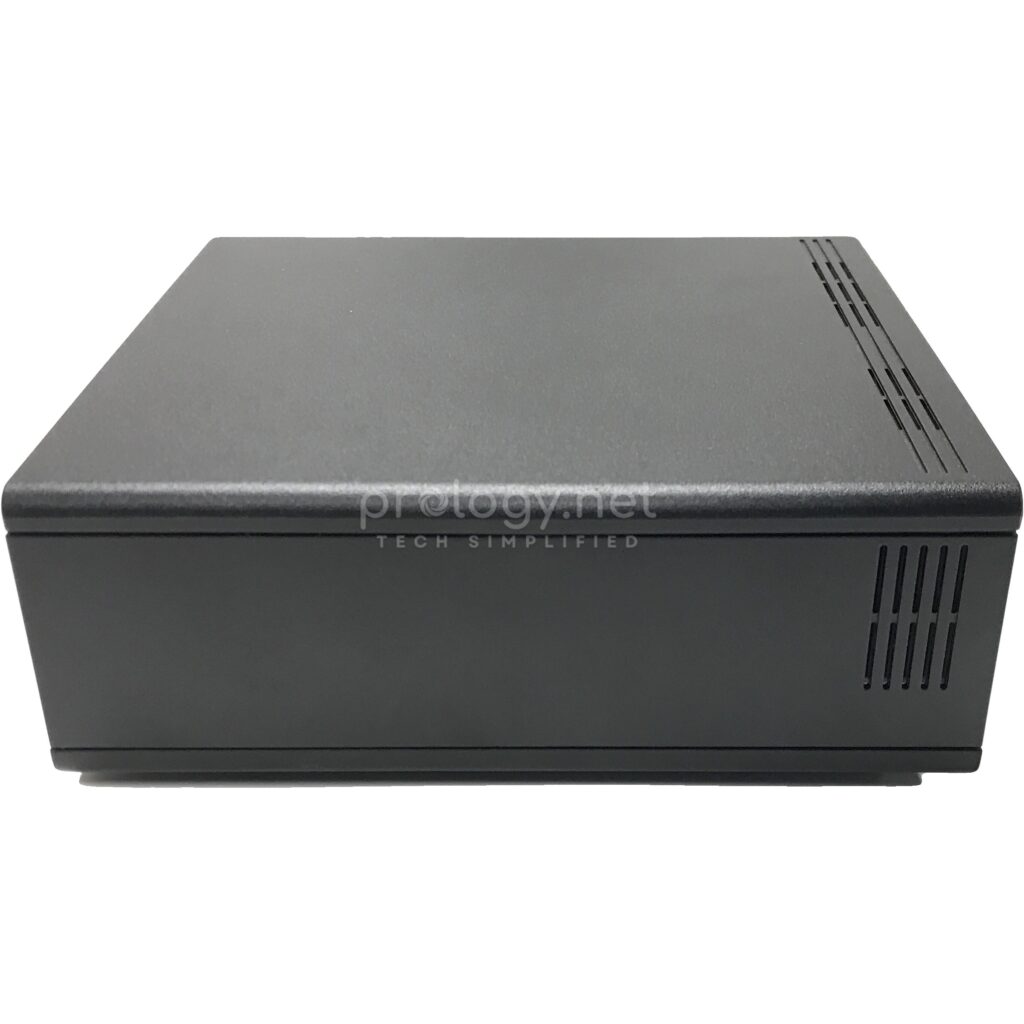
In hand, the unit feels solid: panels fit tightly, nothing flexes — the build quality you’d expect from hardware sold under an IPC catalog.
The rear panel: a machine room’s worth of ports
All of the MS-C931’s connectivity gathers at the back, and the port density on a 15 cm chassis will make anyone who works with servers look twice:
- 4x USB 3.2 Type-C at 20Gbps — one PD-in port takes power from the 240W adapter, one supports PD-out to power external devices, and the ports carry DisplayPort 1.4a video. The machine drives up to 4 independent displays.
- 1x HDMI 2.1a with multichannel audio.
- 1x RJ-45 10GbE — 10-gigabit networking built in, no add-in card.
- An NVIDIA ConnectX-7 SmartNIC block with 2 QSFP cages at up to 200Gbps — the most “data center” detail on the whole device, with “ConnectX-7 200G” printed right on the chassis.
- Wi-Fi 7 and Bluetooth 5.4 for wireless.
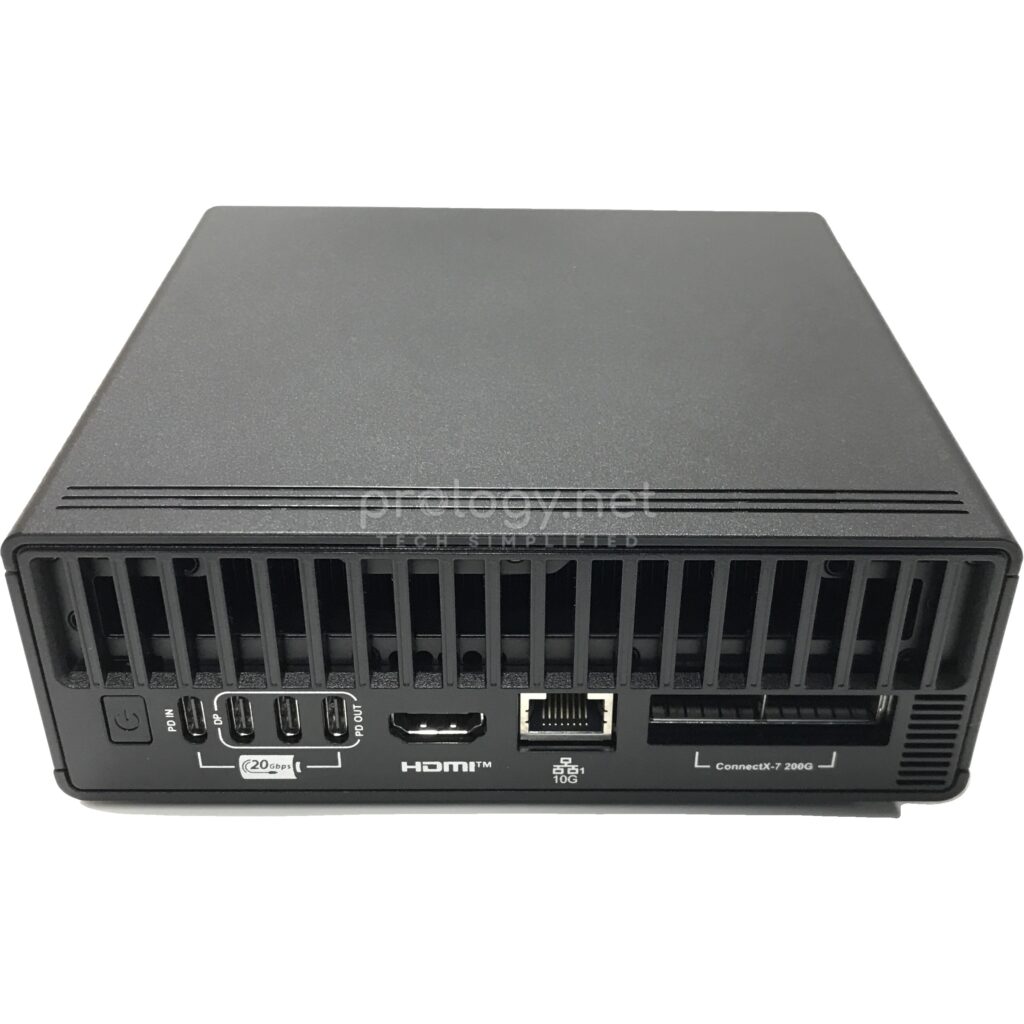
For infrastructure people, the ConnectX-7 block alone tells the story: this is the class of network card normally found in the GPU nodes of AI training clusters, here on a desktop machine that runs off USB-C power.
Inside: the GB10 and the official numbers
| Component | Specification |
|---|---|
| Architecture | NVIDIA Grace Blackwell GB10 |
| CPU | 20-core Arm (10 Cortex-X925 + 10 Cortex-A725) |
| GPU | NVIDIA Blackwell, integrated on the superchip |
| AI Performance | 1000 AI TOPS (FP4, sparse) ≈ 1 petaFLOP |
| Memory | 128GB LPDDR5x unified, 256-bit bus, 273 GB/s bandwidth |
| Storage | M.2 NVMe 1TB or 4TB, self-encrypting, single slot |
| Networking | 10GbE, ConnectX-7 @200Gbps (2 QSFP cages), Wi-Fi 7, BT 5.4 |
| Display Out | HDMI 2.1a + 3× DisplayPort 1.4a via USB-C, up to 4 displays |
| Power | ~240W via USB-C, external adapter |
| Size / Weight | 151 × 151 × 52 mm (1.19L) / 1.2 kg |
| Operating Temperature | 0–35°C |
| Operating System | NVIDIA DGX OS |
Three numbers deserve a pause. 128GB of unified memory — shared between CPU and GPU, so AI models aren’t capped by the 16–32GB VRAM ceiling of discrete graphics cards. 273 GB/s of memory bandwidth — enough for smooth inference on large models loaded fully into RAM. And the self-encrypting NVMe drive — a detail few vendors in this segment highlight, yet one that matters to exactly the buyer this machine targets: businesses that choose local AI precisely to keep their data in the building.
The machine runs NVIDIA DGX OS — a customized Linux build with NVIDIA’s full AI software stack preinstalled. Per MSI, models developed on the MS-C931 move to DGX Cloud or NVIDIA-accelerated data centers with minimal code changes. In other words: the same workflow as the big DGX systems, just at desk scale.
The 200G cable: from one machine to a cluster
The accessory Prology added to this order — a 0.5 m QSFP56 200G DAC cable — is the key to the DGX Spark platform’s most valuable trick: joining two machines into a cluster over the ConnectX-7 ports.
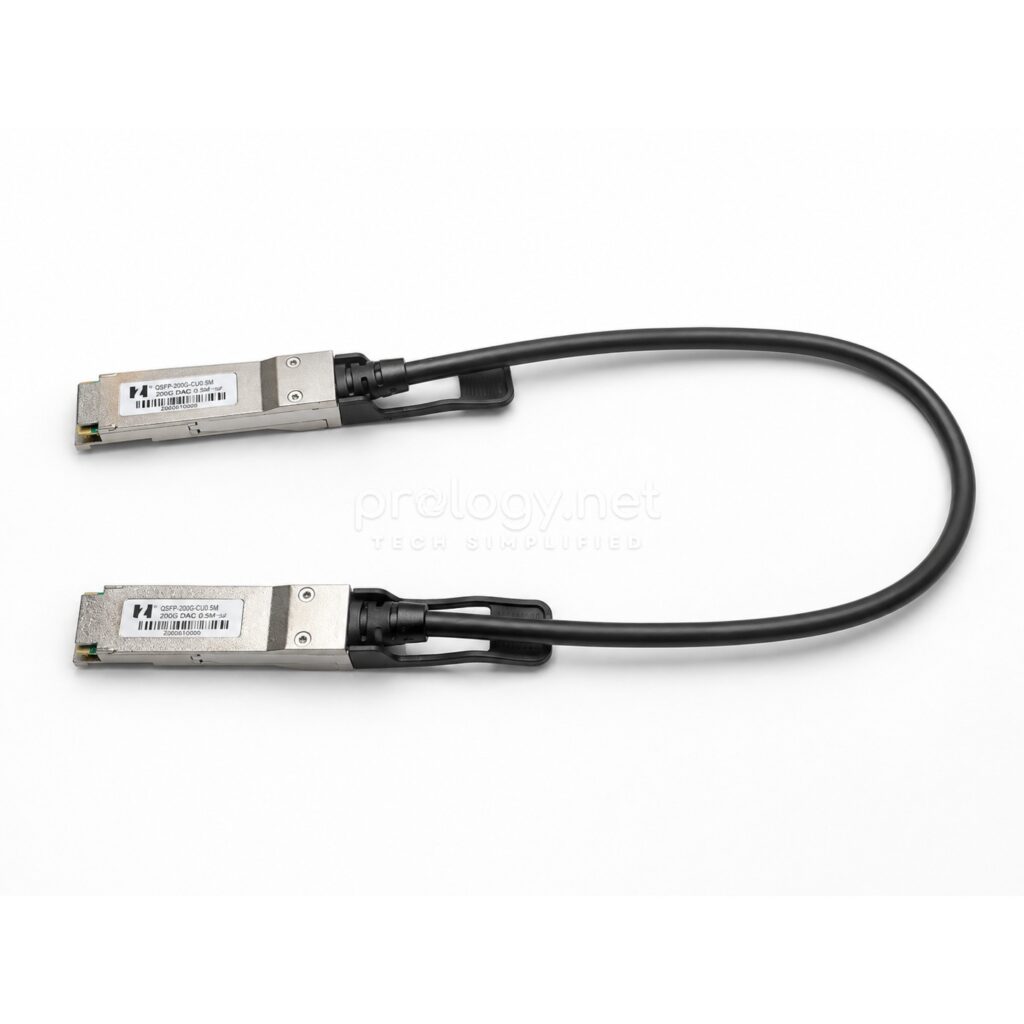
A single MS-C931 runs models of up to 200 billion parameters. Connect two units with this cable and the two-node cluster handles models of up to 405 billion parameters — Llama 3.1 405B territory, per MSI and NVIDIA. When demand grows, the upgrade cost is a second machine and one cable, not a forklift replacement. For a business starting its AI journey, that “buy one, link two” path takes real risk out of the initial investment.
Where does the MS-C931 sit among DGX Spark machines?
Several devices now share the GB10 platform — NVIDIA’s own DGX Spark, the ASUS Ascent GX10 that Prology has covered in detail, and versions from other vendors. Their core hardware is identical: same GB10, same 128GB of unified memory, same 1 petaFLOP. The differences live in the details.
Against the ASUS Ascent GX10, the MSI is lighter (1.2 kg vs. 1.48 kg), offers 1TB or 4TB of self-encrypting storage, carries Bluetooth 5.4, and wears industrial matte black instead of silver-grey. The GX10 answers with a middle 2TB option alongside its comparable 10G LAN and ConnectX-7. In day-to-day use the two are near-equivalent — the choice usually comes down to storage configuration, price at the time of purchase, and which brand your IT team already trusts.
Who should put one on their desk?
MSI targets three distinct groups. First, enterprise AI engineers — fine-tune and run inference locally, then push to the company data center or cloud. Second, education — universities equipping AI classrooms and labs, where a 1.2 kg device is far easier to manage than a server room. Third, independent developers — experimenting with models and building local AI assistants without a monthly cloud bill.
What the three share: a need to run large models locally, a premium on data control, and no desire (or budget) to stand up server infrastructure on day one. If your needs stop at calling commercial model APIs — or at the other extreme, training models from scratch at scale — this isn’t your machine yet.
Frequently asked questions
Is the MS-C931 a server?
Not in the traditional sense. It’s a desktop AI supercomputer — a desk-side machine for local AI development and inference. It doesn’t rack-mount, has no redundant power, and isn’t designed to replace production servers.
What OS does it run? Can it run Windows?
It runs NVIDIA DGX OS (Linux-based) with the AI software stack preinstalled. It’s a dedicated AI machine, not a general-purpose PC for Windows.
How large a model can one unit handle?
Per MSI: up to 200 billion parameters on a single machine, and up to 405 billion parameters with two units linked over ConnectX-7.
Is power or cooling complicated?
No. It draws ~240W over USB-C from an external adapter — a normal office outlet is enough. With a 0–35°C operating range and smart fan control, it’s built for offices and classrooms.
How much does it cost?
Pricing varies by storage configuration (1TB/4TB) and market. Contact Prology for current pricing and availability.
One black box, one AI roadmap
What sticks after the unboxing isn’t any single spec — it’s the whole: MSI has packed machine-room compute into a 1.2 kg block of black metal that runs on USB-C power, with an upgrade path that costs exactly one cable. For a business weighing its first investment in on-premise AI infrastructure, the MS-C931 is a hard starting point to ignore. If you’d like to see the unit in person, compare the 1TB and 4TB configurations, or plan a two-unit setup for larger models, the Prology team is ready to help with your actual workload.